

Sometimes one set isn't quite right. A new client might need your work details and your mobile. You can pick more than one and send them as a single card.
How to do it
-
Open My Deets and tap Share my deets.
-
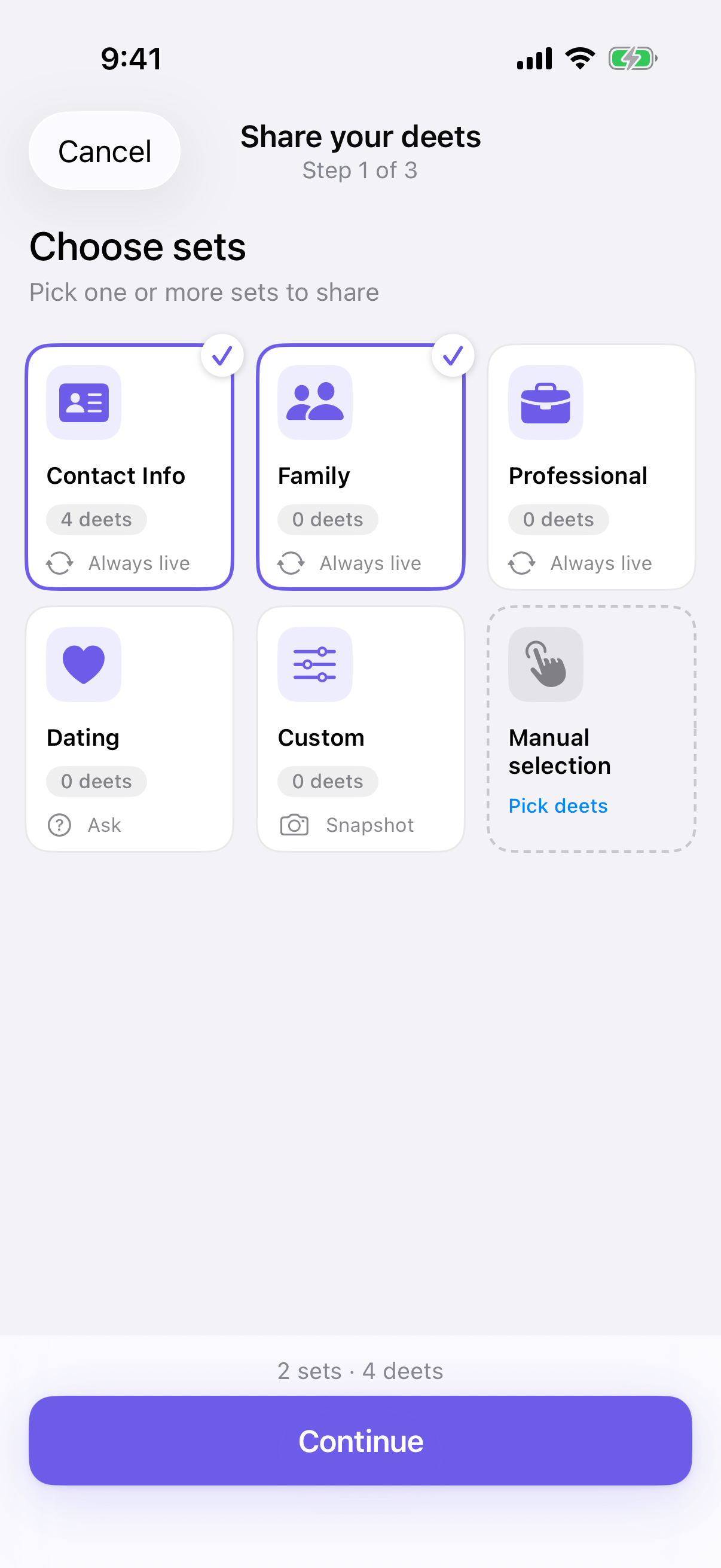
On Choose sets, tap each set you want, then tap Continue.
-
Deeta combines them into one card. Anything appearing in both sets is included once — no duplicates.
-
Carry on through the rest of the share as usual.
What the recipient sees
One card, with your name and everything from the sets you chose.
The card preview names your main set with a count — something like Work + 1 more. It shows no set name at all if any of the sets you picked is set to hide its name. The same label appears against the share in Settings → Shared links until someone claims it, so you can tell what you sent.
If the sets disagree about live updates
Each set carries its own live-updates setting, so two sets can disagree — one set to Always, another to Never. When that happens, the Ready to share step lists each set and what will happen to it, for example Work will stay up to date and Personal is snapshot-only — it won't update.
There's nothing to choose: each set keeps its own setting, and Ask me sets go live. Tap Continue.
See Sending a card that stays up to date.
Size limit
There's a cap on how much one card can hold. If you select so many sets that you'd exceed it, the remaining options grey out. Send fewer sets, or send a second card.
Troubleshooting
Some sets have gone grey and I can't select them. You've reached the size limit for one card. Deselect something, send a second share, or use Manual selection to pick individual deets.
I can't tell what I sent someone. Check Settings → Shared links — each entry shows the set label, until someone claims it.
A detail I expected isn't on the card. Check it's actually in one of the sets you picked. Open My Deets and look at the set contents.
I want different details for different people. That's exactly what sets are for — pick a different combination each time. Nothing is remembered between shares.
Questions
Is there a limit on how many sets? Not a fixed number — it depends on how much is in them. Deeta stops you before the card gets too large.
Can I save a combination for next time? Not as a combination. If you use the same mix often, it's worth creating a set that contains it — Settings → Deet Sets.
Does combining sets change them? No. Your sets are untouched; the combining happens only for that one card.
Can a combined card be a live one? Yes, on every plan, as long as you're under your live-card limit. Details from Always and Ask me sets stay up to date; anything from a Never set goes as a snapshot.