

Passing on a colleague's number, or introducing two people. Deeta lets you share a contact from your list — and is deliberately careful about what it includes.
How to share a contact
-
Open the contact in your Contacts tab.
-
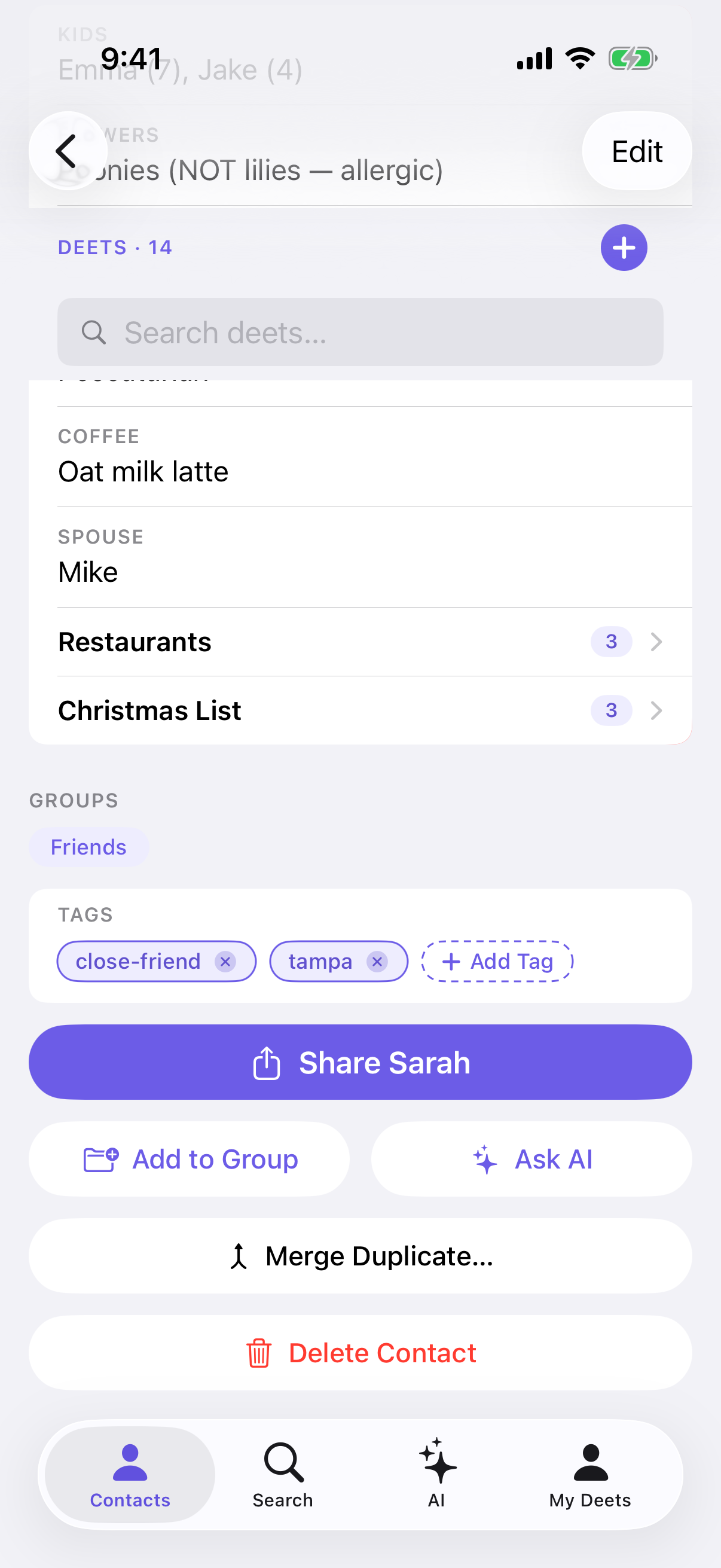
Scroll to the bottom of their page and tap Share [their name].
-
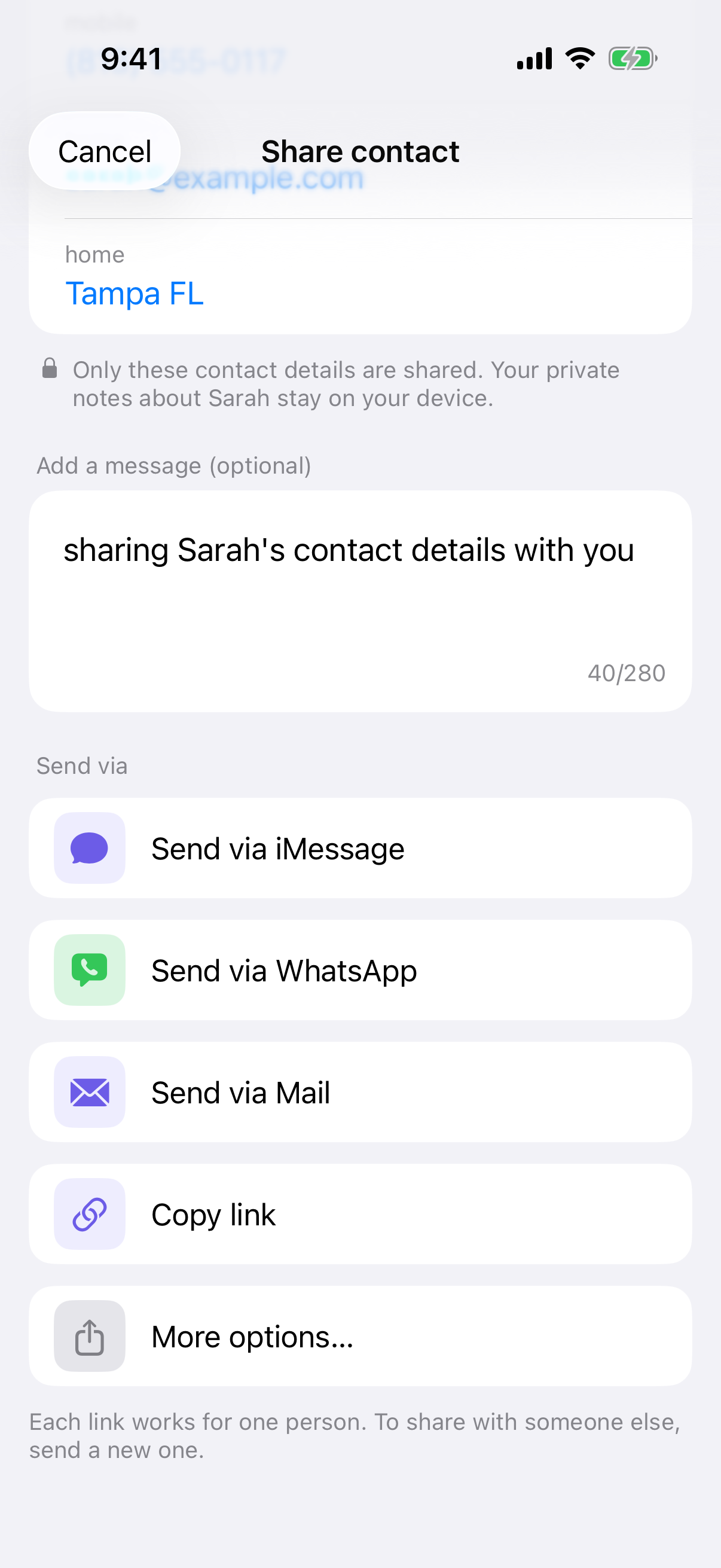
Choose how to send it — iMessage, WhatsApp, Mail, Copy link, or More options…. If you pick iMessage, choose who to send it to; each person gets their own link.
What gets shared — and what doesn't
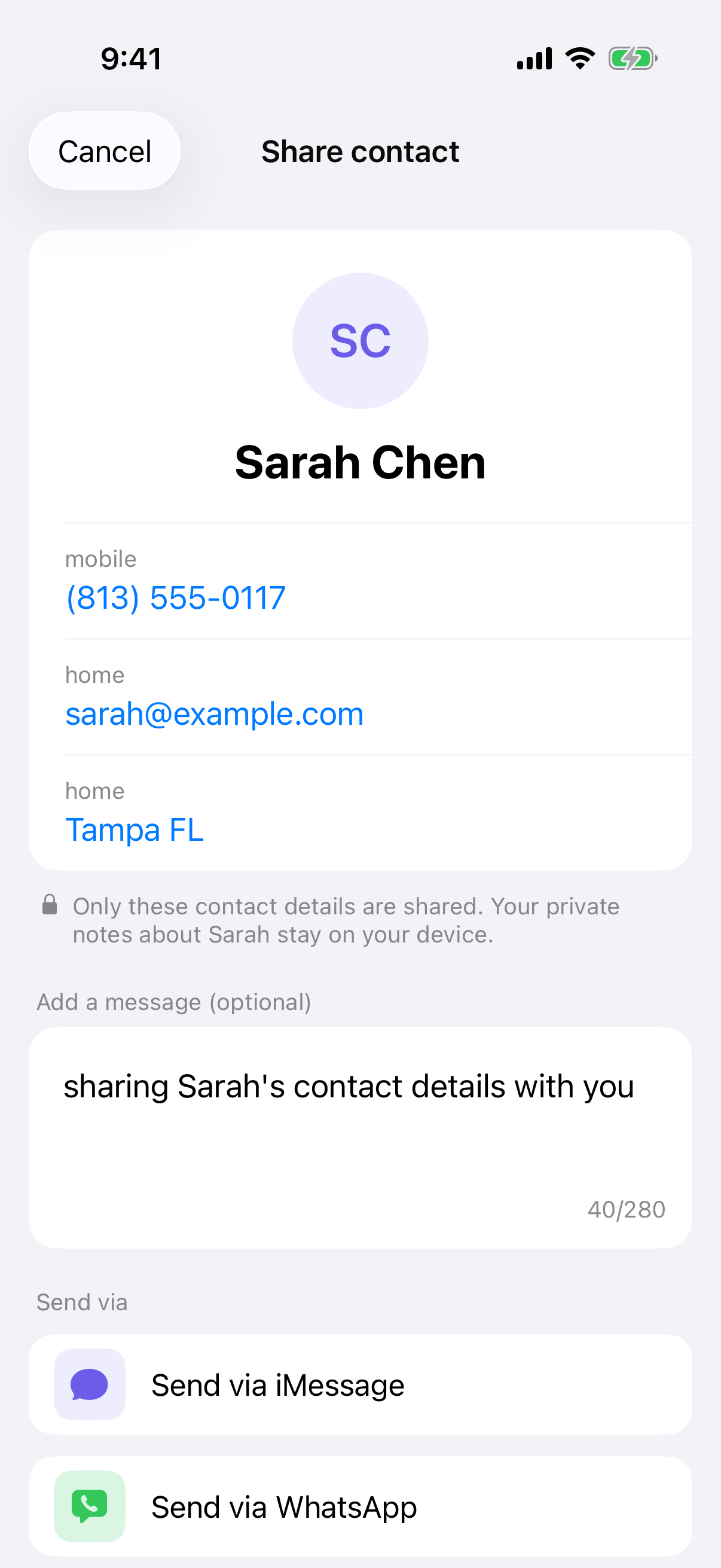
Shared: their name, phone numbers, email addresses and postal addresses — the standard details.
Not shared: the deets you've added about them, your tags, your groups, or your notes.
That distinction is deliberate. The details you record about someone are your observations, often private, and sometimes things they'd be surprised to see written down. Deeta doesn't pass them on when you share the contact.
Always a snapshot
A contact you forward is a fixed copy of what you hold today. It doesn't stay up to date, and it can't — those are your records of someone else, not a card they control. Only your own card can be sent as a live one.
Available on every plan
Sharing a contact is free on every plan, with no upgrade prompt. To stop contacts being passed around in bulk, there's a limit of 30 contact shares an hour. If you hit it, Deeta tells you to try again later.
Troubleshooting
I wanted to include a note I'd written about them. That isn't possible by design. If you need to pass something on, write it in the message alongside the contact.
The person I shared says details are missing. Only standard contact details travel. If something is missing, check it's on their contact page in Deeta — anything stored as a deet won't be included.
They don't have Deeta and can't save the contact. A shared contact opens in Deeta. Without the app, the web page shows the card but has no save button — that button only appears on your own Contact Info card.
I shared the wrong person. Go to Settings → Shared links and revoke it. Revoking stops future access; it can't retrieve what's already been saved.
I selected several contacts but there's no Share option. Correct — multi-select offers New Group, Add Deet and Ask AI, but not sharing. Contacts are shared one at a time, from each person's page.
Questions
Does the person I'm sharing know about it? No. Deeta doesn't notify them.
Should I ask them first? Their details, their call. Deeta limits what's shared to the standard contact information, but whether to pass it on is a judgement only you can make.
Can I share several contacts at once? Not at the moment. Share them one at a time from each contact's page.
Is this the same as sharing my own card? No. Your own card is one you control and can keep updated. A shared contact is a snapshot of what you hold about someone else. See Sharing your own card.