

Changed your mind about something you shared? You can shut the link down at any time — and take your details back from someone who's already accepted it.
How to revoke a link
This is for links nobody has claimed yet. Once someone accepts a link, it leaves Shared links — see Taking back from someone who accepted, below.
-
Settings → Shared links.
-
Find the share.
-
Tap ••• on it (or swipe left) and choose Revoke, then confirm.
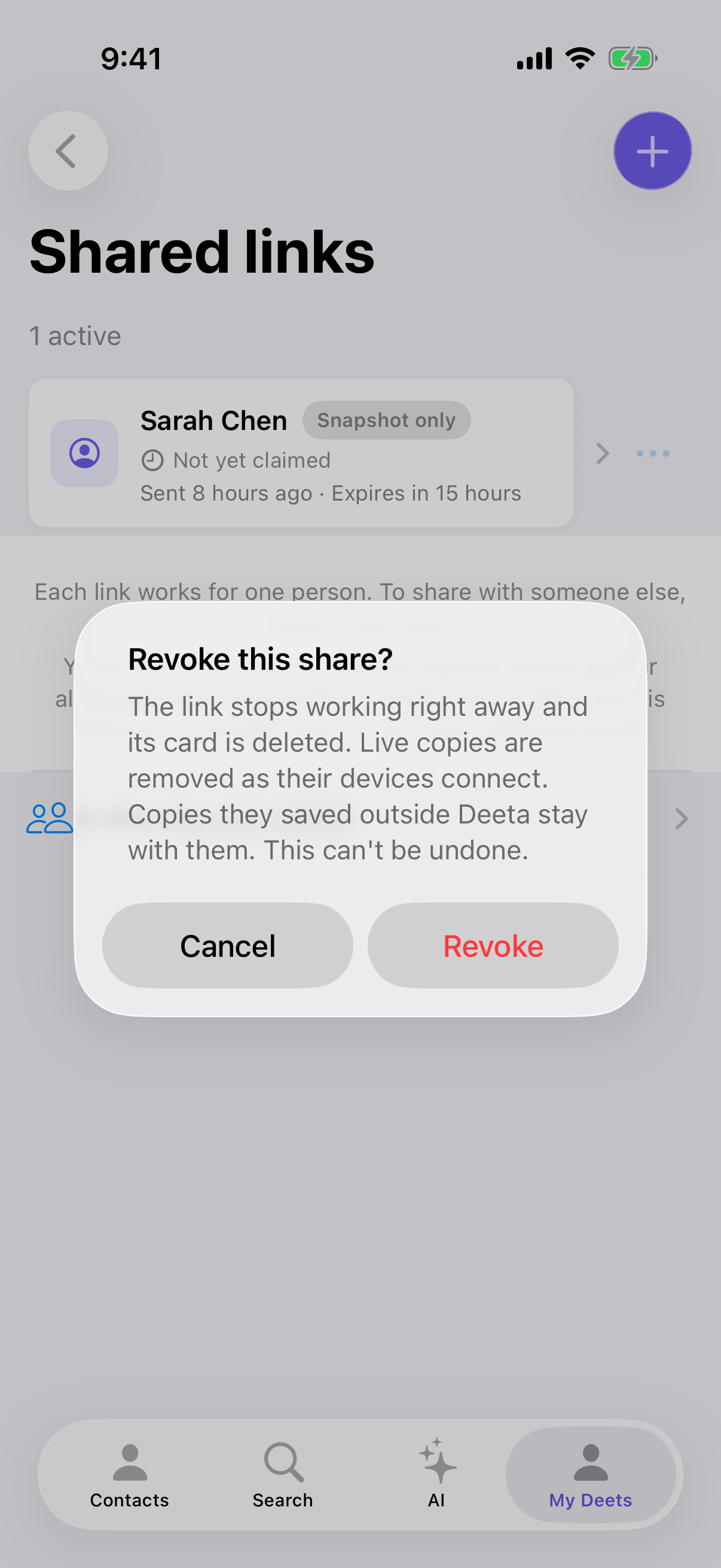
Deeta tells you exactly what will happen:
The link stops working right away and its card is deleted. Live copies are removed as their devices connect. Copies they saved outside Deeta stay with them. This can't be undone.
What revoking does — and doesn't
It does:
-
Stop the link opening, immediately
-
Delete the card it showed
-
Stop any future updates reaching that person
-
Remove live copies from their Deeta, as their devices next connect
It doesn't:
-
Reach anything they saved outside Deeta
That last line is the one to understand. If someone opened your card and tapped through to save your number into their phone's own Contacts app — or wrote it down, or screenshotted it — that copy is theirs and revoking cannot remove it. It's the same as texting someone your number: you can delete the message, but not what they wrote down.
Taking back from someone who accepted
Go to Settings → Shared links → Who has your profile, tap ••• next to the person and choose Revoke, then Take back. This works on every plan, and you need to be online.
Take back removes what that share gave them. Once their phone receives the change, Deeta takes those details out of Deeta on their phone — including any phone number, email or address the share had added to their contact card. It can't reach a copy they made some other way. On Free and Plus, this also frees up one of your live cards.
Stopping updates without taking anything back
If you only want someone to stop receiving changes — while leaving what they already have alone — go to Settings → Shared links → Who has your profile, tap ••• next to the person, then Stop updating. They keep what they have; it just won't change. It works on every plan, needs a connection, and on Free and Plus it frees up one of your live cards. See Who has your profile.
When to revoke
-
You sent it to the wrong person.
-
You shared more than you meant to.
-
You'd rather it wasn't circulating, even unopened.
-
You no longer want that person receiving your details.
Troubleshooting
I revoked but they say they can still see my details. Check where they're looking. Inside Deeta, live copies clear once their device reconnects — which needs them to open the app. Anything they'd saved some other way is theirs and stays.
I revoked by accident. It can't be undone. Share again to send a fresh link.
I can't find the share. It may have been claimed — take it back from Who has your profile. Or it may have expired: expired shares drop off the list, and expired links don't work anyway. See How long share links last.
It says "You need to be online to change live sync status." Stopping updates and taking back need a connection. Try again once you're online.
I want to stop updates for one person but keep sharing with others. Use Who has your profile rather than revoking — see above.
Questions
Does the person get told? Deeta doesn't send them a message saying you've revoked or stopped. For someone who accepted, though, their phone may show the usual updated contact info notification as the change arrives, unless they've muted you — and after Take back they can see which details were removed.
Can I revoke everything at once? Revoke each share individually — deliberate, so you don't cut everyone off by accident.
Does revoking delete my card? No. Only that one link, and the card image it served.
If I revoke and re-share, do they get the new one automatically? No. You'll need to send them the new link.