

A deet is anything you want to remember about someone. Their coffee order. Their kids' names. The book they recommended. Deets sit on each contact alongside their phone, email and address.
Adding one
-
Open the contact and find the DEETS section.
-
Tap the + circle. On someone with no deets yet, you can also tap the No deets yet card.
-
Enter a label — "Coffee order" — and the detail — "Oat flat white".
-
Tap Save.
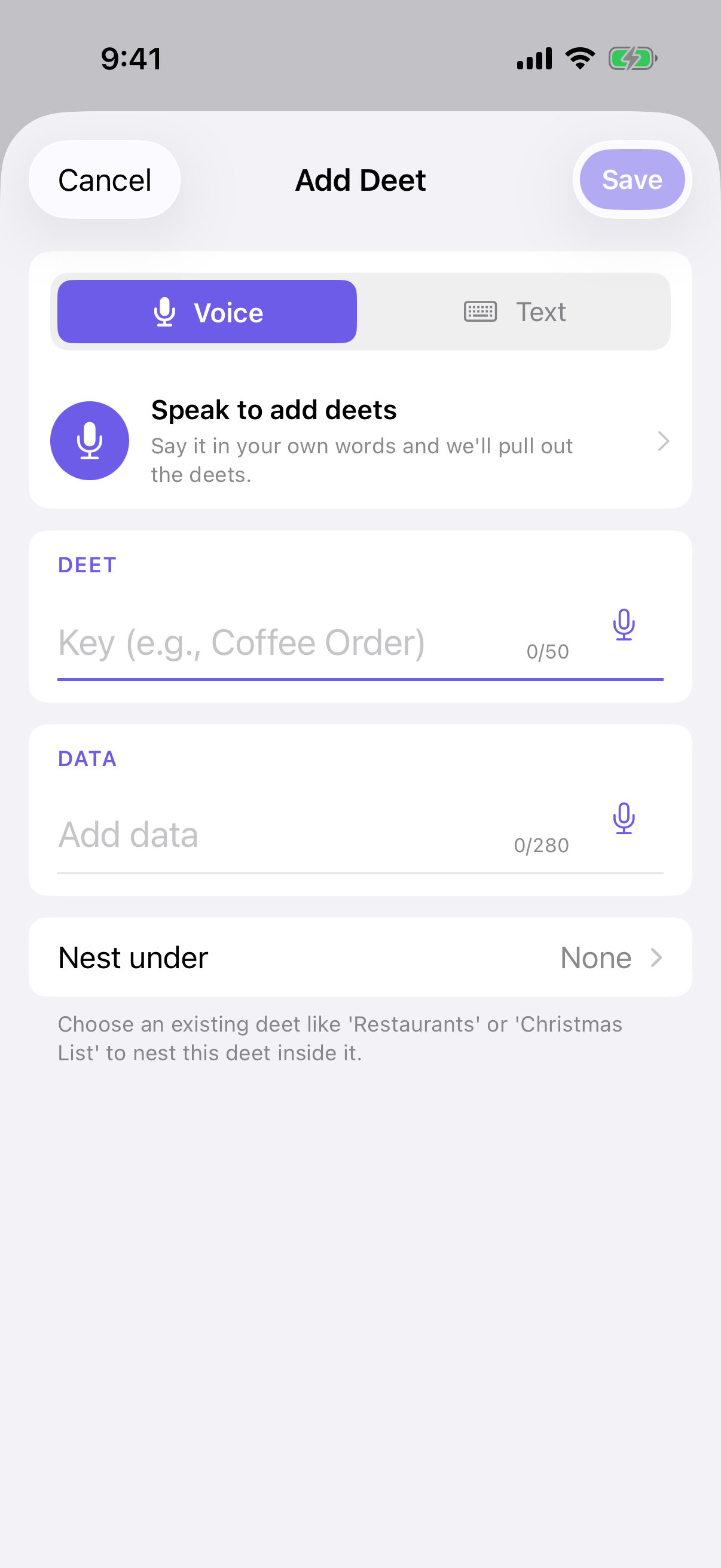
As you type a label, Deeta suggests labels you've used before, so "Coffee order" stays consistent across everyone.
Nesting
Deets can live inside other deets. A Christmas list can contain Books, which contains individual titles.
Two ways:
-
"+ Add sub-deet" under an expanded deet, or
-
the Nest under row in the add sheet, to pick any parent.
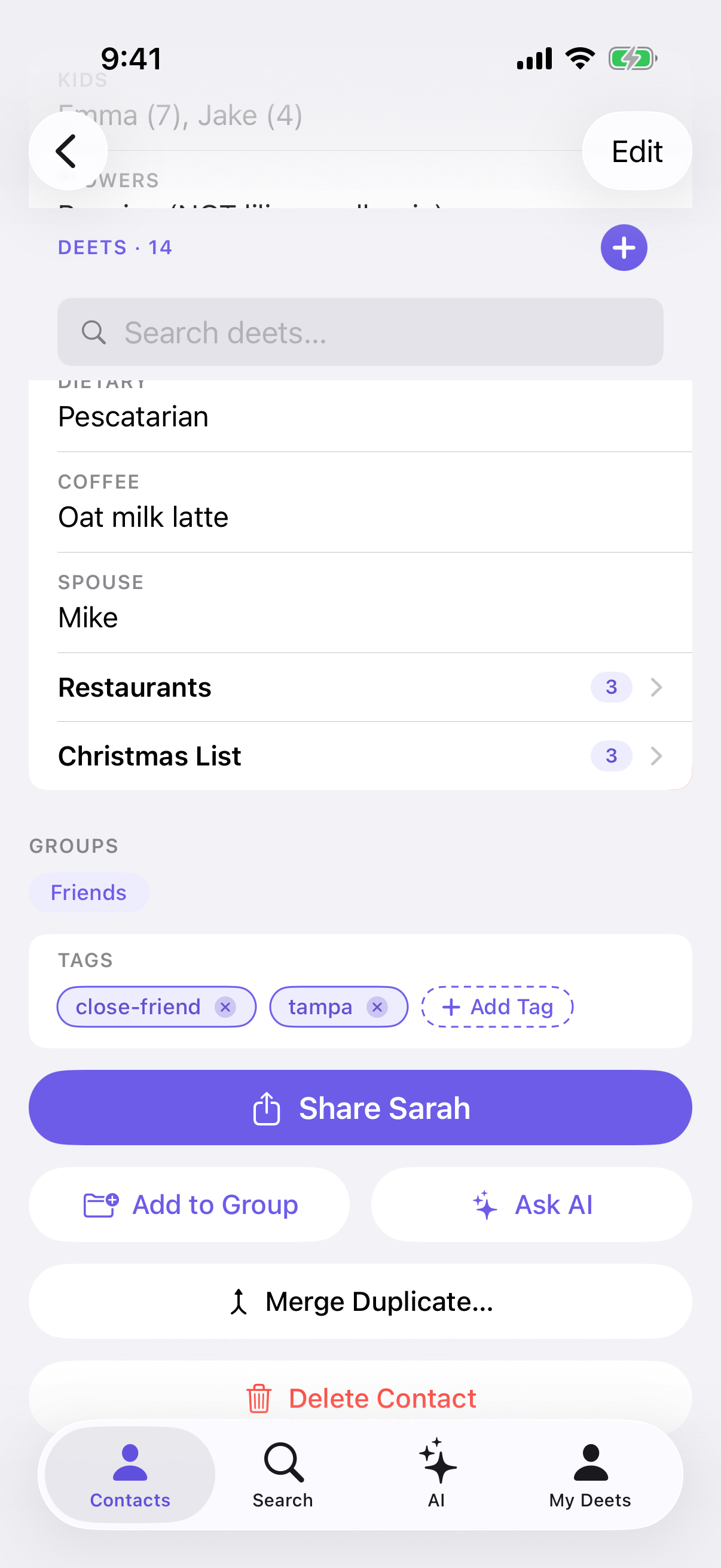
You can nest seven levels deep. At seven, the "+ Add sub-deet" button simply isn't there, and that parent shows MAX DEPTH in the picker.
"Nest under" is not the same as Groups. Nesting puts a deet inside another deet. Groups organise people. See Groups.
Adding to several people at once
Select several contacts (press and hold in the Contacts tab), then Add Deet on the bar at the bottom. Everyone gets the same deet — useful for "Met at the 2026 conference".
Other ways in
You don't have to type. You can speak a deet, or hand Deeta a block of text and let it work out the deets for you:
Limits
|
Limit |
|
|---|---|
|
Label |
50 characters |
|
Detail |
280 characters |
|
Nesting depth |
7 levels |
|
Deets per contact |
500 |
|
Free plan |
20 contacts with deets |
Label and detail show a live counter that turns orange then red as you approach the limit.
If a paste is too long, Deeta trims it and says so — you'll see a notice telling you the paste lost characters, so nothing disappears without you knowing.
Troubleshooting
Save is greyed out. Both the label and the detail need something in them.
"+ Add sub-deet" is missing. That deet is seven levels deep — the maximum.
A paywall appeared. The free plan covers deets on 20 people. Adding more deets to someone already counted is always fine; it's the 21st person that prompts an upgrade.
"This contact has reached its deet limit." 500 deets on one person. Delete some, or nest them differently.
I pasted a long note and Deeta said it was trimmed. Labels cap at 50 characters and details at 280. Split it across several deets, or nest them under one parent.
"That field name is too long. Please shorten it." The label is over 50 characters.
I typed the same label twice on one person. Deeta allows it and won't warn you. Delete the duplicate if it wasn't intended.
Questions
Do deets go into my iPhone's contacts? No. They stay in Deeta.
Can I search my deets? Yes — search in the Contacts tab looks inside them. See Finding people.
Does anyone else see them? No. Deets about other people are never included when you share a contact.
Is there a special format for dates? There's no special format, but Deeta has to recognise a detail as a date before it can remind you. It reads most everyday ways of writing one: 15 March, March 15th, 3rd June 2019, Monday, June 3, 1987-03-15, June 2019. With numbers, slashes read month first (3/6 is 6 March) and dots read day first (3.6 is 3 June). A year needs all four digits. Once it's recognised, press and hold the deet and tap Set alert. See Birthday and date reminders.
Can I undo if I get it wrong? Deleting a deet can be undone for a few seconds afterwards. See Editing and deleting deets.