

The Contacts tab lists your contacts alphabetically: the people from your iPhone's Contacts app, plus anyone you've added in Deeta. Search finds people by far more than their name.
Browsing
Your contacts are listed A–Z. Anyone whose name starts with a number or symbol is grouped under # at the end.
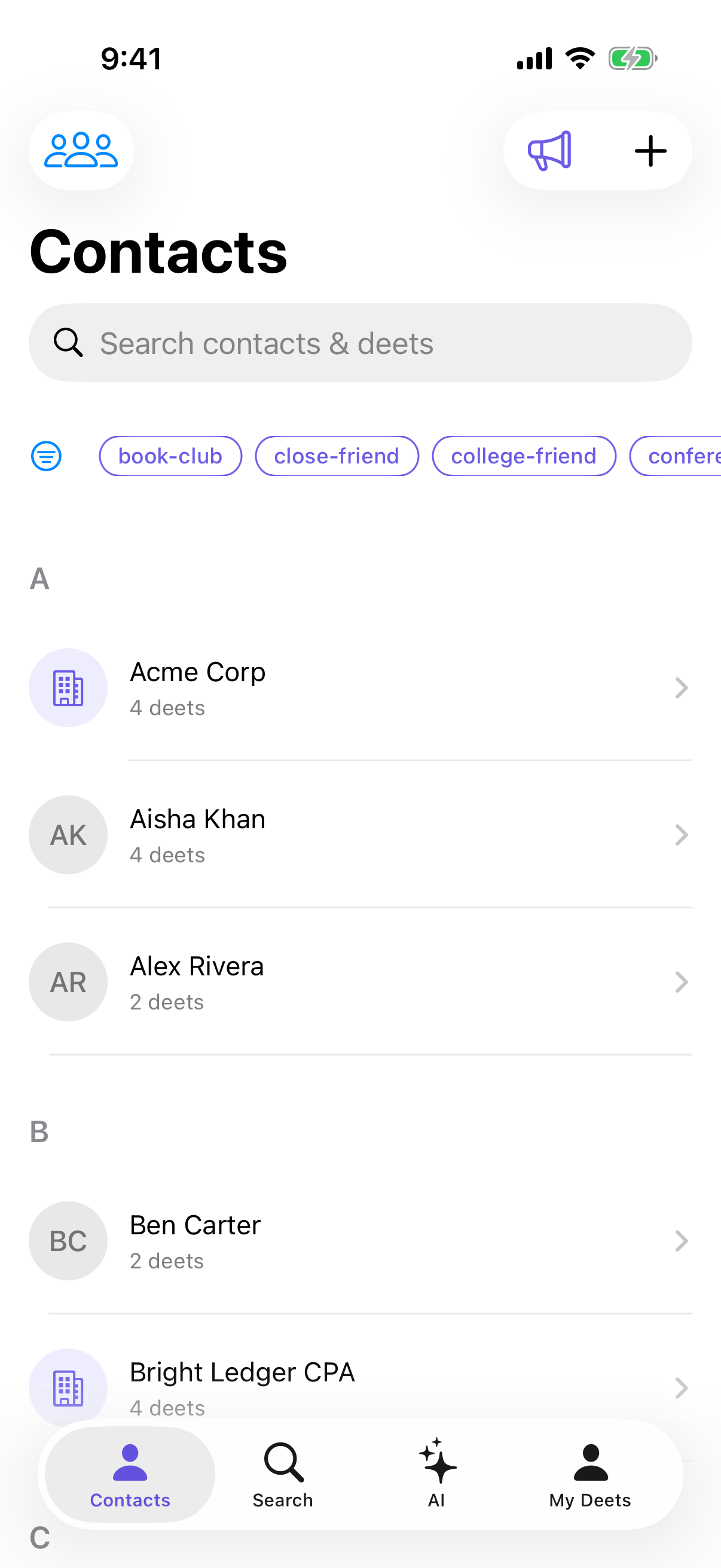
Each row shows their photo if they have one, and initials if they don't. A contact saved as a company shows a building icon instead.
Under each name you'll see their company or first phone number.
Your own card isn't in this list. It lives in the My Deets tab — see Your own card — My Deets.
The first time you open the tab, a short tip explains it. Tap ⓘ at the top right to see it again.
Searching
Tap the search bar and type. Deeta searches names, companies, phone numbers, email addresses, street addresses and cities, websites, notes, tags and groups — and the deets you've written. Part of a phone number works too, with or without the spaces and dashes.
That last part is the useful bit. Searching "climbing" finds everyone with a climbing-related deet, even though nobody is called Climbing.
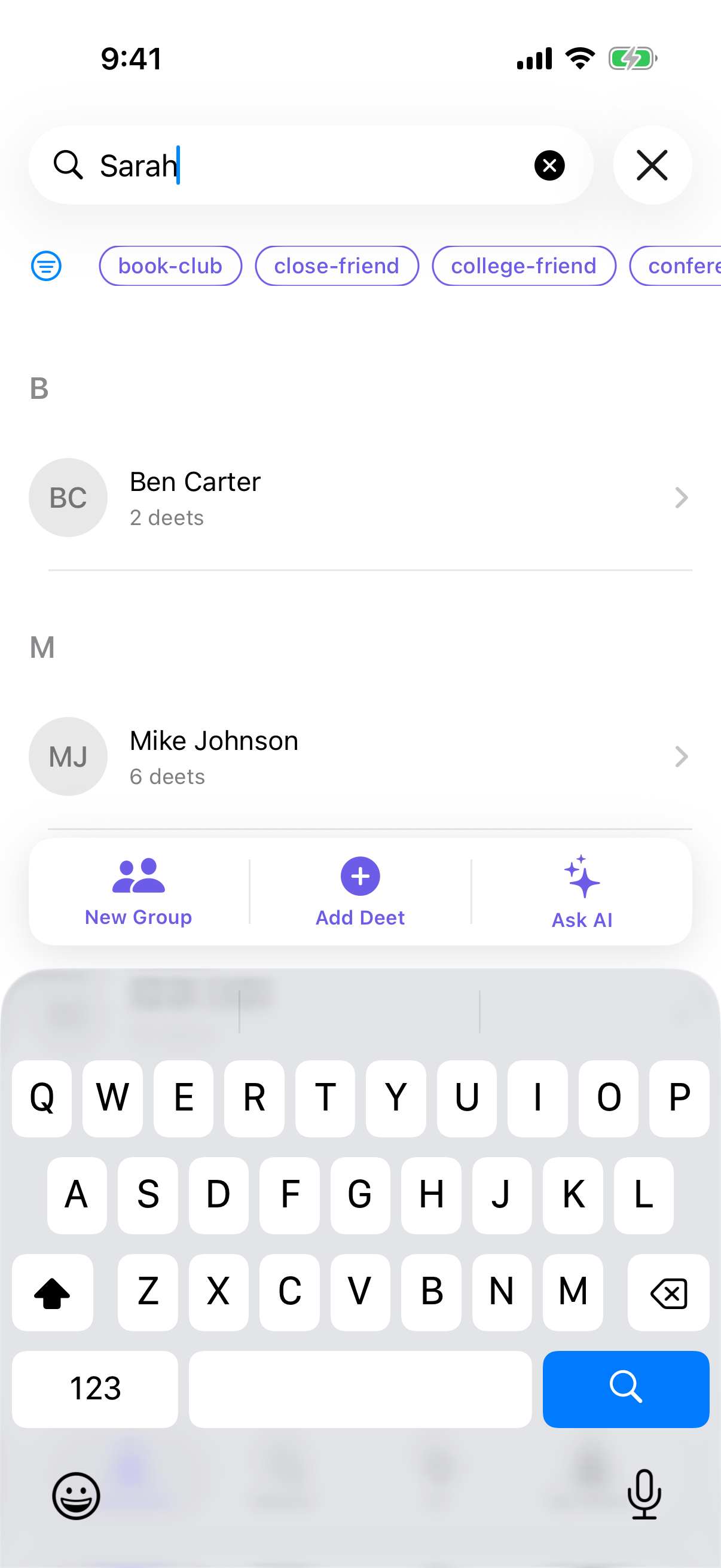
Press Return to keep a search — your recent searches appear when you tap the bar again.
Narrowing further
Two filters, and they work together with search:
-
Tags — chips along the top. Tap to filter; tap several to find people with all of them.
-
Groups — the icon at the top left. Pick a group to show only its members, including everyone in its sub-groups.
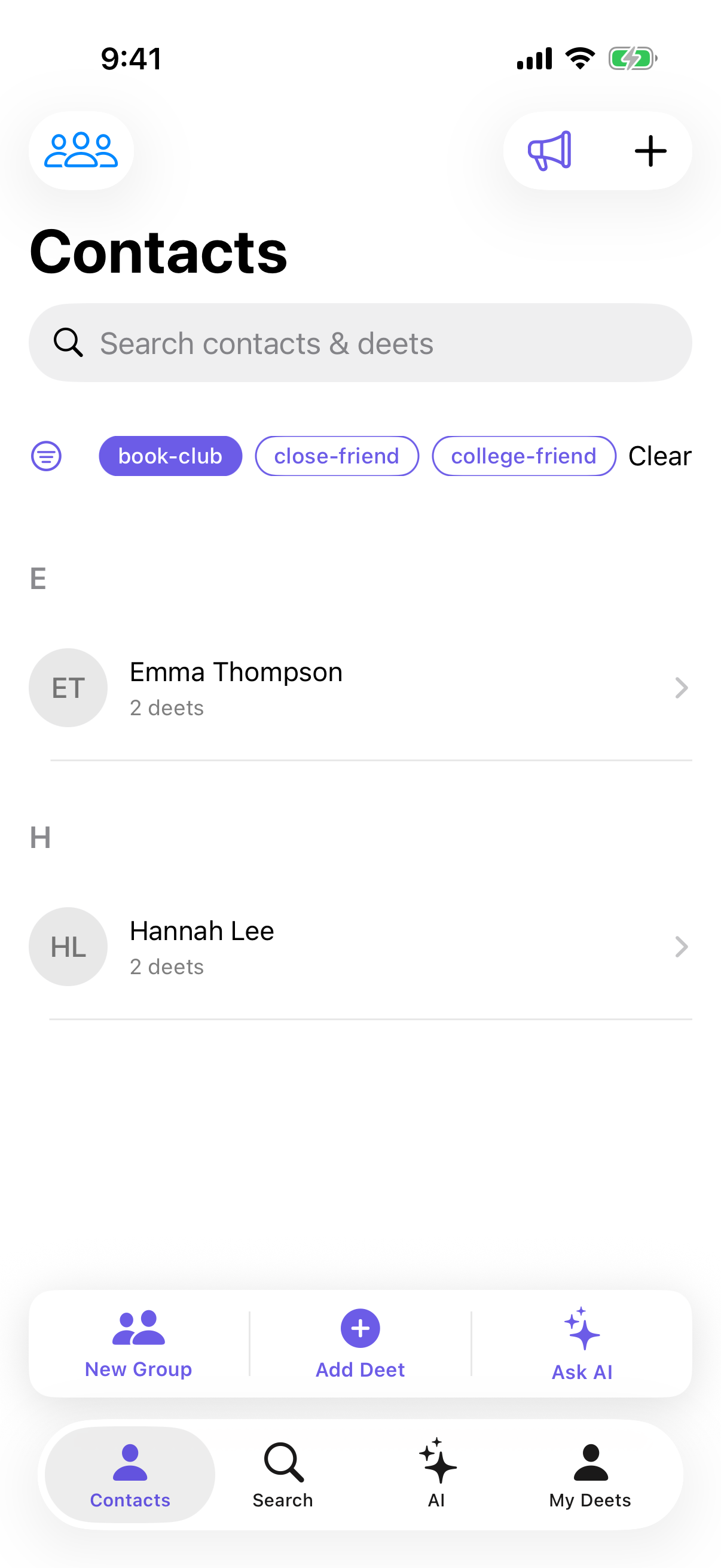
Combine all three — a group, a tag, and a search — to narrow right down.
Acting on several people at once
Press and hold any contact to start selecting. Tap others to add them, then use the bar at the bottom:
-
New Group — make a group from everyone selected
-
Add Deet — write the same deet onto all of them at once
-
Ask AI — ask a question about just those people
The same bar appears when a search narrows to two or more people — so you can act on a whole result set.
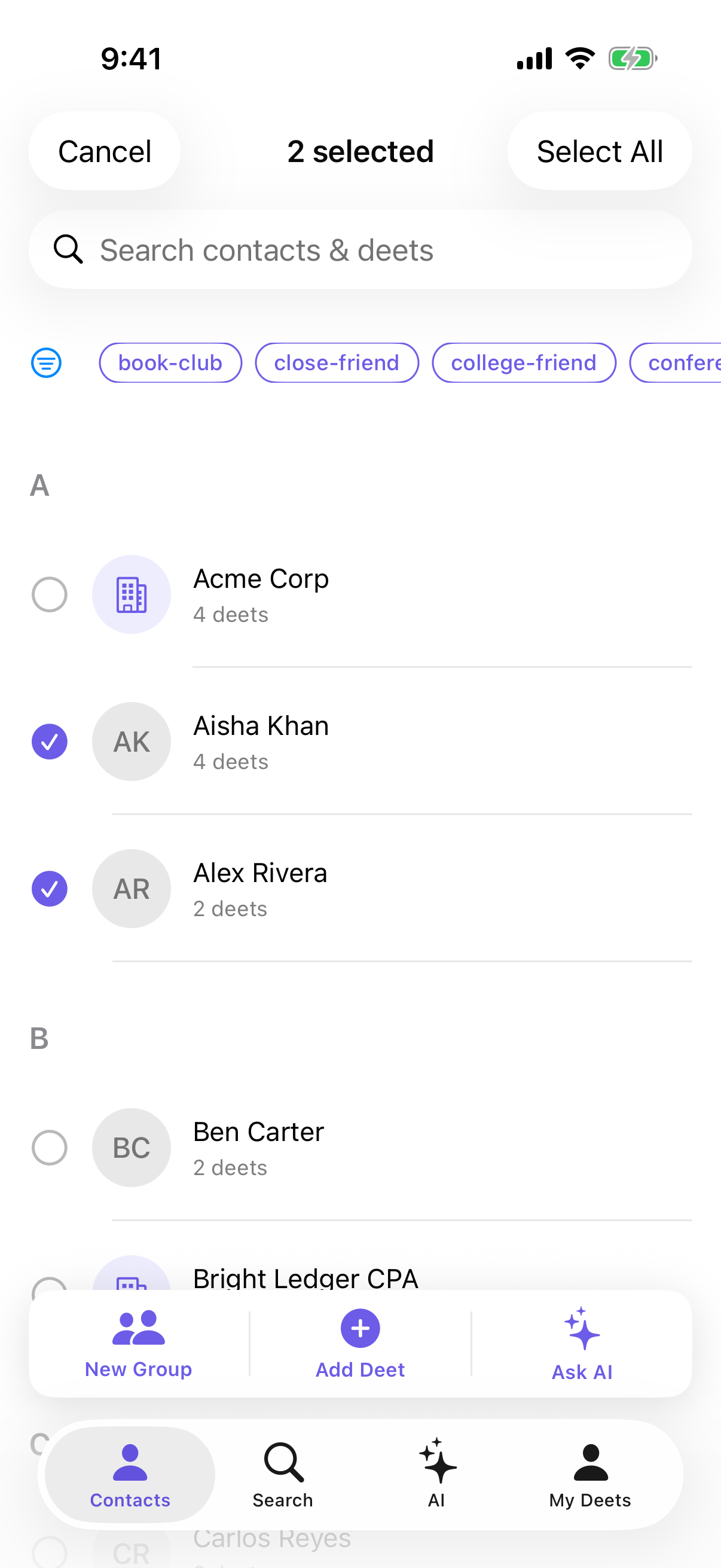
Note there's no bulk share — contacts are shared one at a time, from each person's page.
Troubleshooting
Someone's missing. Check whether a tag or group filter is on — clear it with the Clear button or by tapping the group icon and choosing All contacts. If you gave Deeta access to only some of your contacts, the rest aren't here; Settings shows a warning at the top — tap it to give full access.
Search finds nothing for a name I know is there. Try a different part of the name. If they were shared with you using only a first name, they may be filed differently.
The list is empty. Either contacts haven't been imported yet, or a filter is hiding everything.
I can't find myself in the list. That's deliberate. Your own card is the My Deets tab.
A contact's photo isn't showing. Check the contact in your iPhone's Contacts app. If it's there but not in Deeta, tap Settings → Organisation → Sync Now, or close and reopen Deeta.
There's no swipe action on a row. Correct — rows don't swipe. Open the contact, or press and hold to multi-select.
Questions
Does search look inside my deets? Yes — that's the point.
Can I sort by last name? Not at the moment. The list follows the display name.
Why "#" at the end? It collects contacts whose name doesn't start with a letter, so they're easy to find rather than scattered.
What's the difference between the Contacts search and the Search tab? The Contacts search filters this list in place. The Search tab searches everything at once — contacts, deets, tags and groups.