

Tap anyone in your Contacts tab and you get their page. It's laid out in five bands, top to bottom.
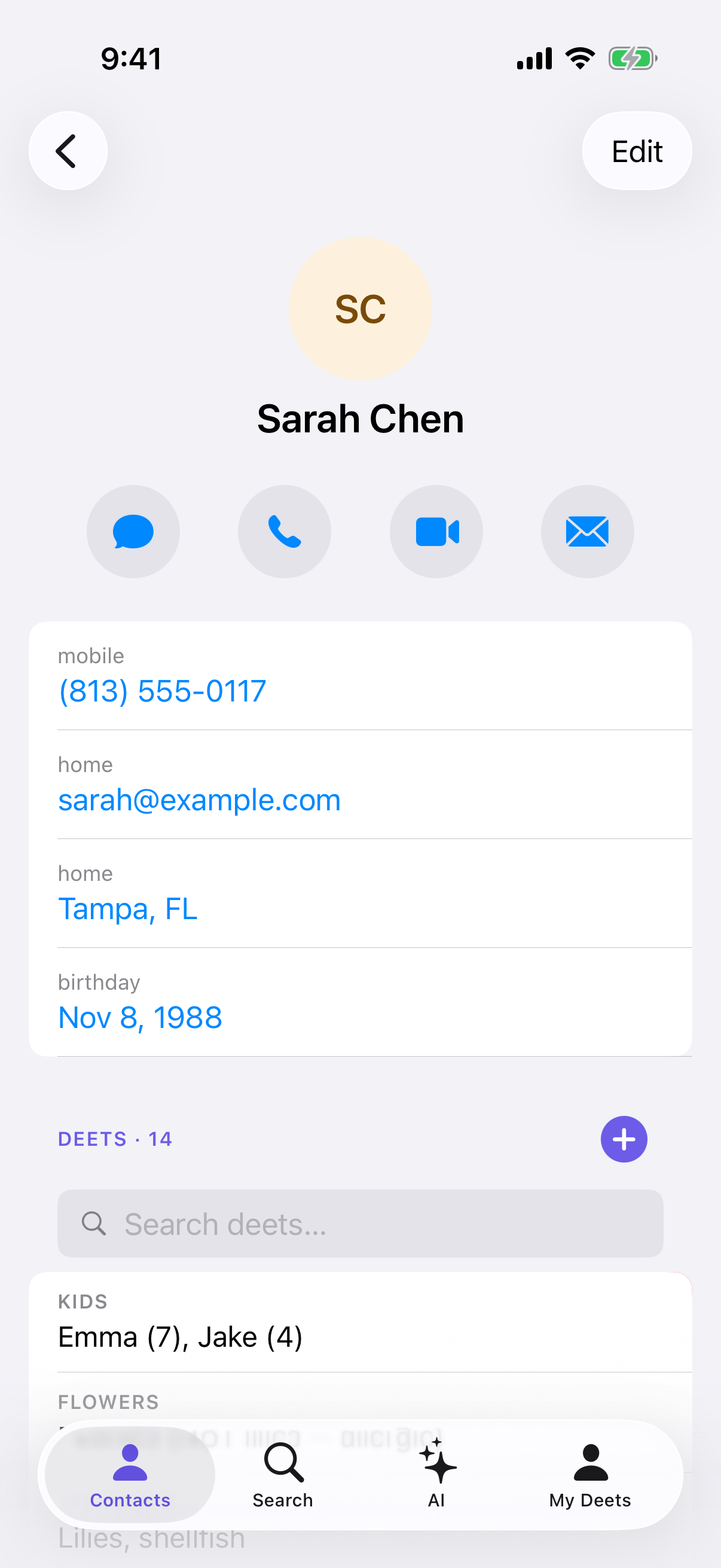
1 — Photo and name
Their photo (tap it to change), name, and company. Companies you've saved as organisations show a small building icon instead of a person.
If this person shared a card that keeps itself up to date, you'll see Live profile · shared with you under their name. See Live Updates.
2 — Call, message, FaceTime, mail
Four buttons, exactly as you'd expect. Any the contact doesn't have details for are dimmed and don't do anything — if there's no email, Mail is greyed out.
To open an address in Maps, tap the address itself further down the page.
3 — The standard details
Phone numbers, emails, websites, addresses, birthday and notes. All but notes are kept in step with your iPhone's Contacts app — notes can't sync yet.
Tap any of them to use them: a number to call it, an email to write, an address to map it.
4 — Deets
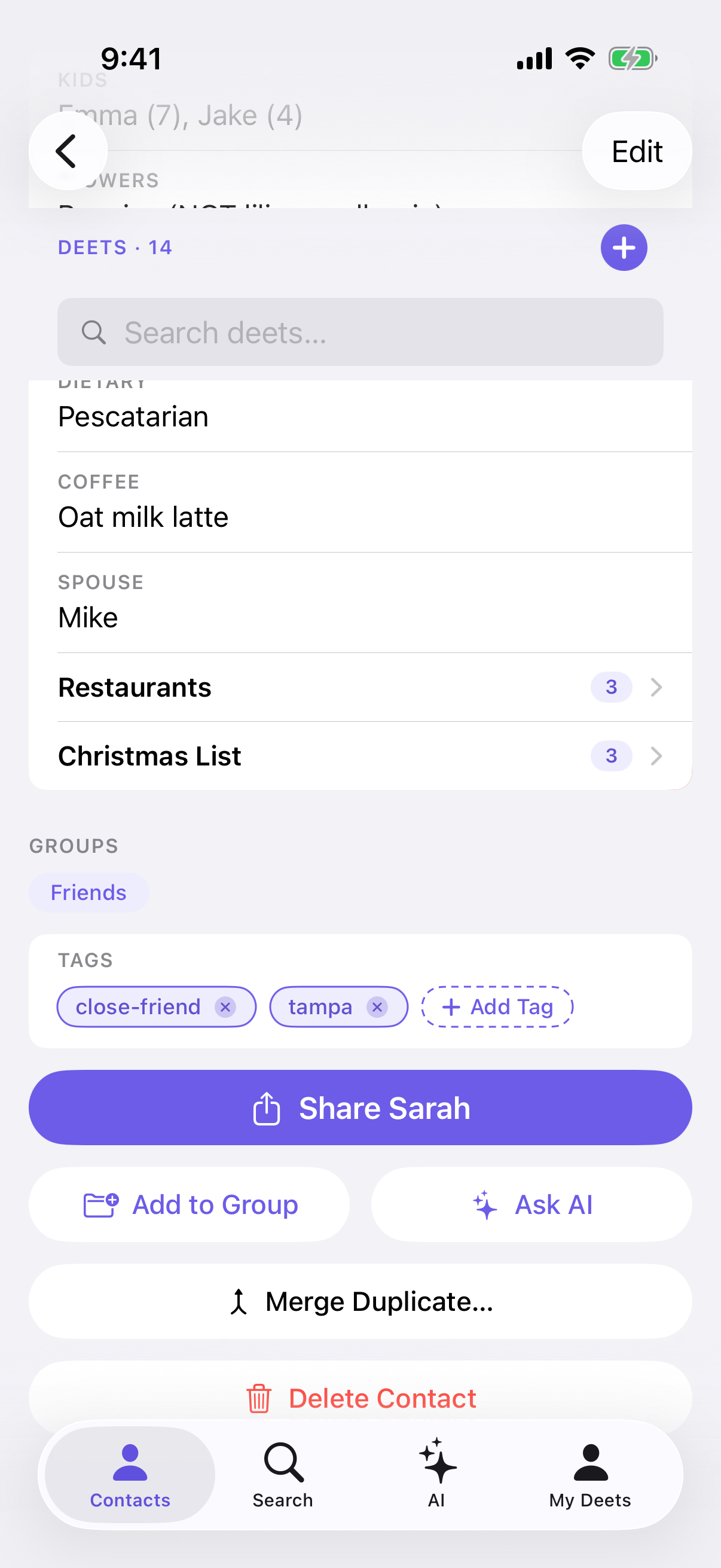
The part that makes Deeta different. Everything you've recorded about this person — their coffee order, their kids' names, what they're working on.
Deets can nest, so "Christmas list" can contain "Books" which contains individual titles. A search bar appears once there's enough to search. See Adding a deet.
Someone with no deets yet shows a No deets yet card. Tap it to add the first one.
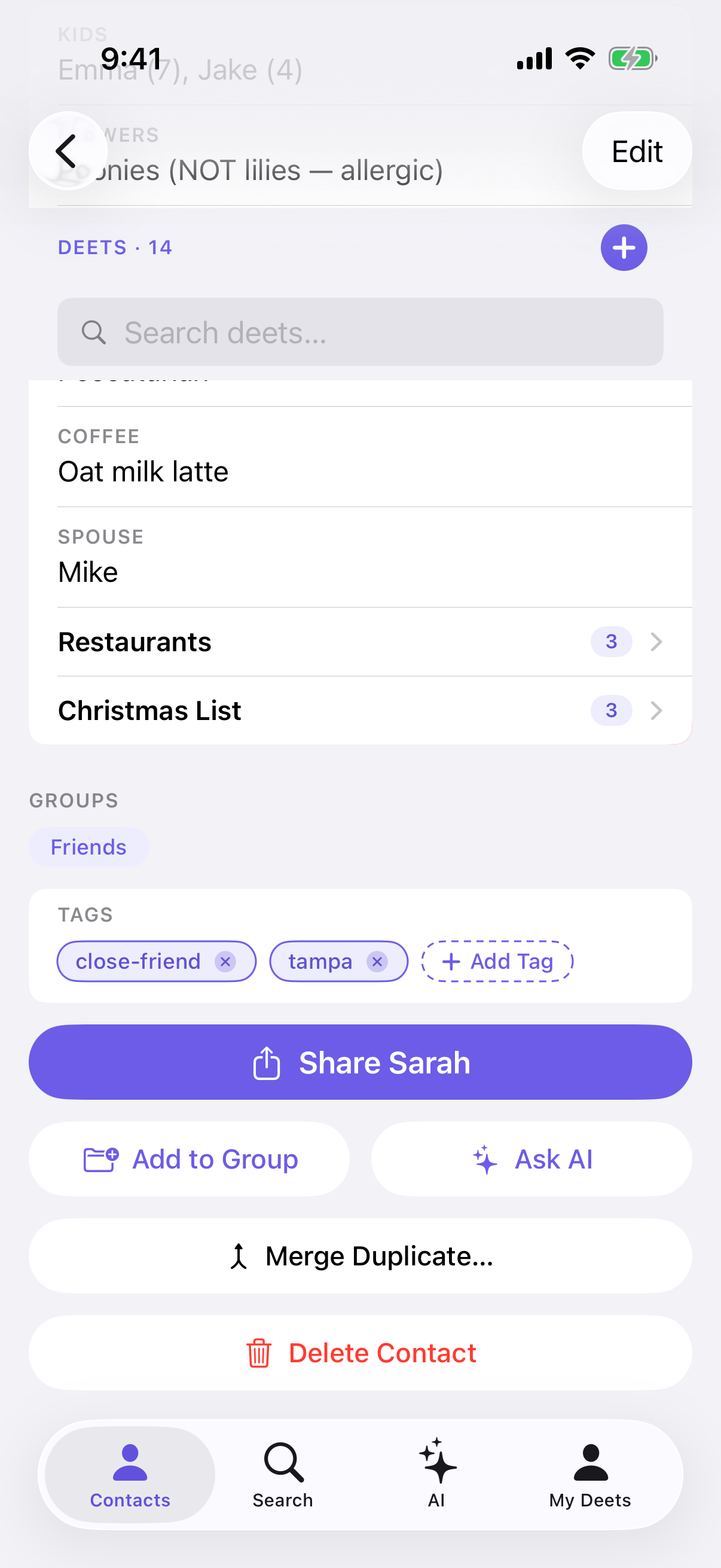
5 — Groups, tags and actions
Their groups and tags, then the buttons: Share [their name] (the big one), Add to Group, Ask AI, Merge Duplicate…, and Delete Contact at the bottom.
Editing
Tap Edit at the top right. The standard details become editable and the call buttons dim while you're editing. Tap Done when you've finished. See Adding and editing contacts.
Tips
The first time you open a contact, a short tip explains deets. Tap ⓘ beside Edit to see it again. After your first deet is saved, a second tip explains saving to Deeta from other apps.
Troubleshooting
All four action buttons are greyed out. The contact has no phone number or email. Add one by tapping Edit.
I changed something and it reverted. Try again — the change didn't save. If it keeps happening, close and reopen Deeta.
Their photo isn't showing here but I know they have one. Check the contact in your iPhone's Contacts app. If it's there but not in Deeta, tap Settings → Organisation → Sync Now.
There are two of this person. Use Merge Duplicate… to combine them, or Settings → Organisation → Find Duplicates to see all likely pairs.
I edited them somewhere else and this page hasn't caught up. Go back to the Contacts tab and open them again. If you changed them in your iPhone's Contacts app, Settings → Organisation → Sync Now brings the change in straight away.
A screen asked about reminders when I opened someone. If you haven't decided about notifications yet, opening a contact who has a birthday asks whether you'd like birthday and date reminders. Tap Not now to skip; it won't ask again for a week.
Questions
Why isn't there a Maps button at the top? Tap the address itself and it opens in Maps.
Do my deets go into my iPhone's contacts? No. Deets, tags and groups stay in Deeta. Standard details sync both ways.
Can I reorder the sections? No — the layout is fixed.
Where's my own page? The My Deets tab, not this list. See Your own card — My Deets.