

Groups organise people into folders — and unlike most apps, those folders can sit inside each other. Work → Engineering → iOS team.
Where groups live
Settings → Organisation → Groups.
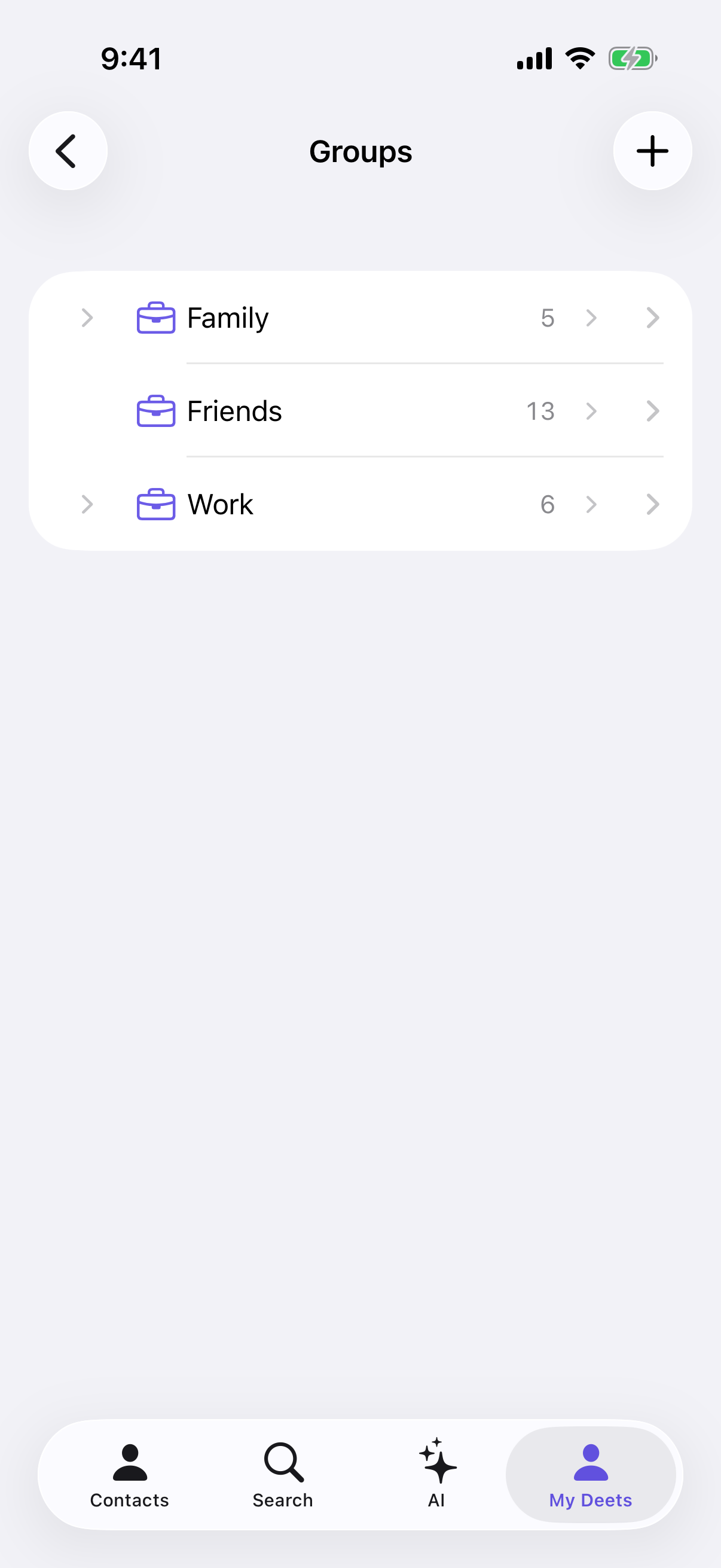
Each row shows the group name and how many people are in it. Tap the arrow to expand sub-groups, or the row to open it.
Creating a group
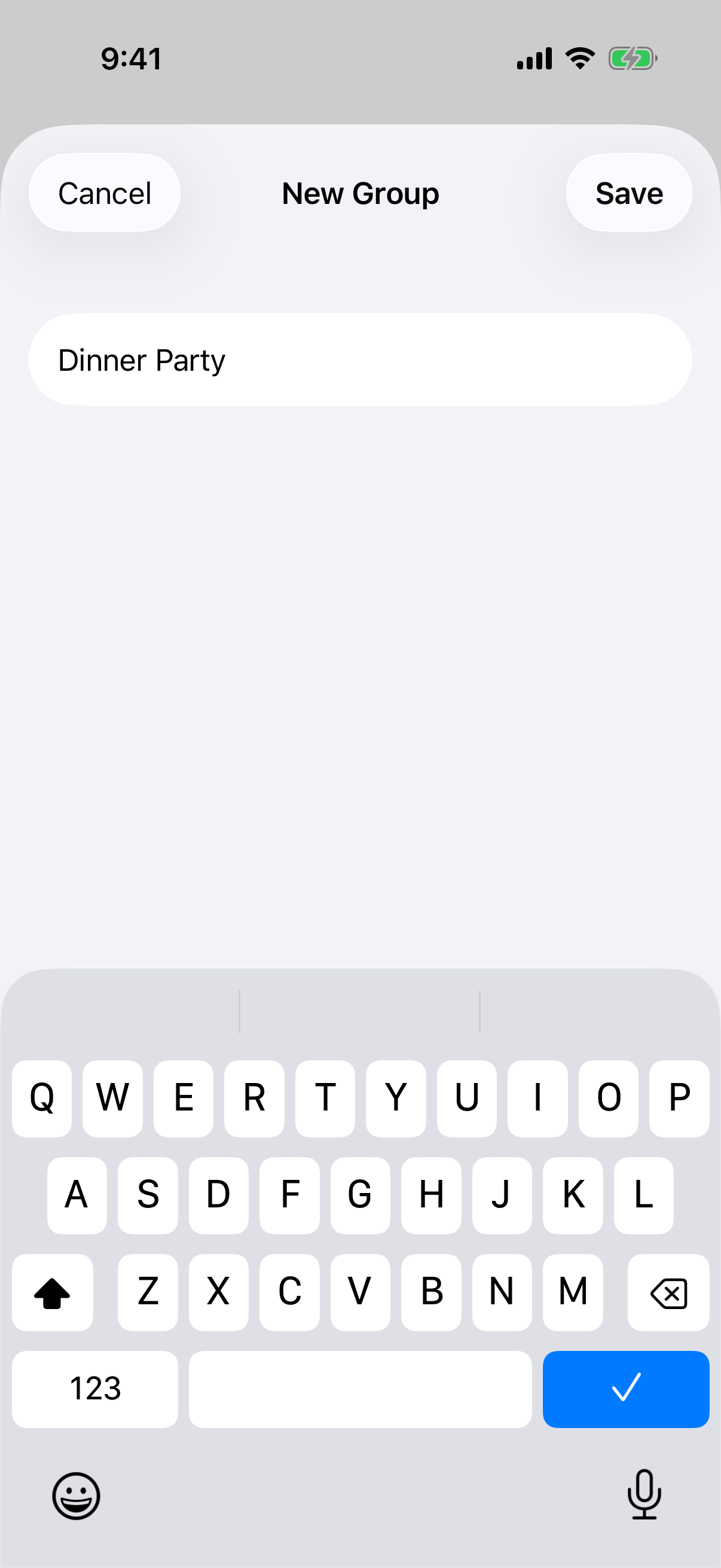
From Settings: tap + at the top right, name it, done.
From a search or selection — much faster: search for something (say a city), then tap New Group on the bar at the bottom. Everyone in the results goes into the new group at once.
From a contact: open them and tap Add to Group.
Nesting
Open a group and tap + Add sub-group. You can nest up to seven levels.
At seven, the button simply isn't there — Deeta doesn't offer something it can't do. You can also drag a group onto another to move it; valid drop targets outline green, invalid ones red.
Filtering by group
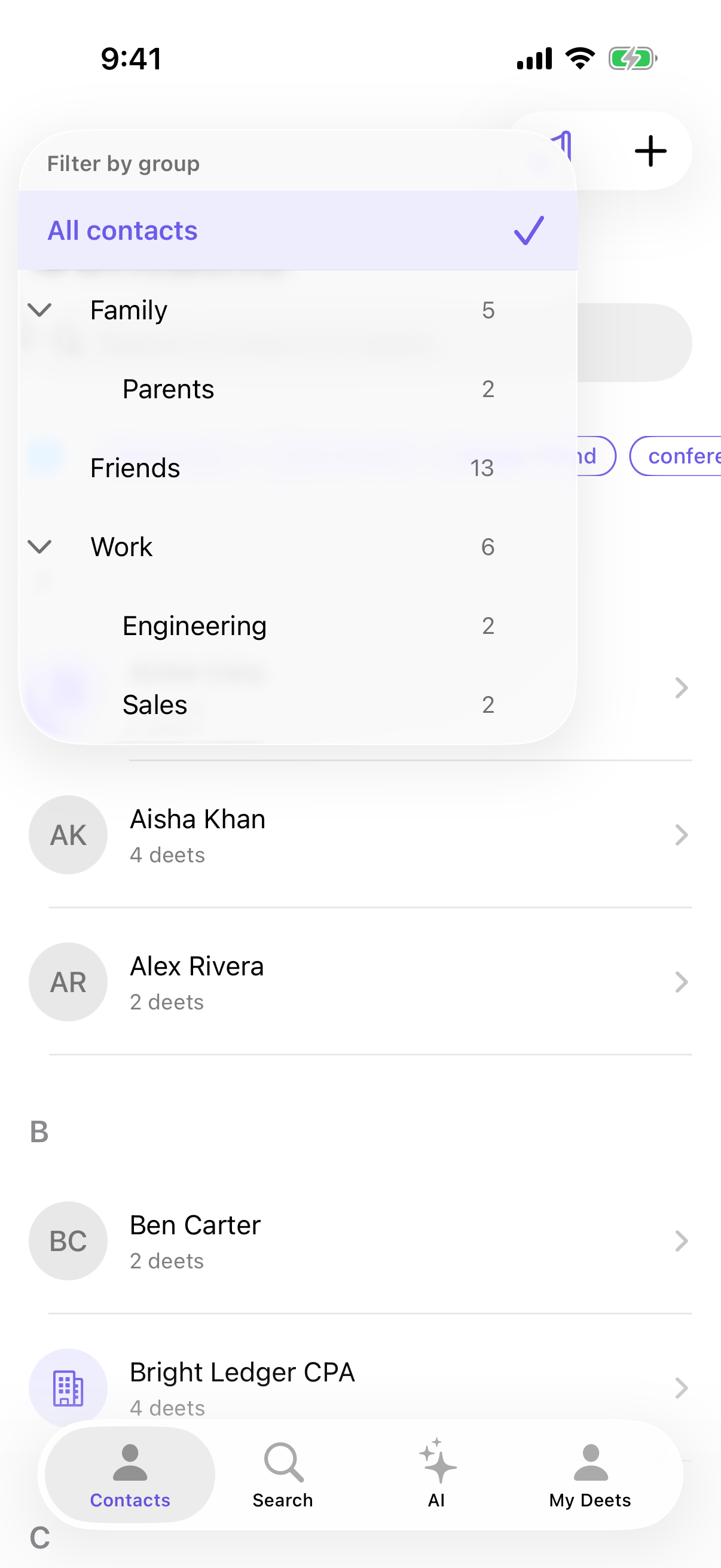
In the Contacts tab, tap the group icon at the top left and pick a group. The list narrows to its members plus everyone in its sub-groups.
The number beside each group in the picker counts everyone the filter will show: its own members plus everyone in its sub-groups.
Deleting a group
Open it, then Edit → Delete. If it has sub-groups you choose between:
-
Delete group only (keep sub-groups) — they move up a level
-
Delete with all sub-groups
Deleting a group never deletes people — the confirmation says so.
Limits
|
Free |
Paid |
|
|---|---|---|
|
Top-level groups |
3 |
500 |
|
Sub-groups under one group |
200 |
200 |
|
Nesting depth |
7 |
7 |
|
People per group |
no limit |
no limit |
Troubleshooting
"+ Add sub-group" is missing. You're at seven levels deep — the maximum.
Add sub-group is greyed out. That group already has 200 sub-groups. Delete one, or reorganise.
Tapping + opens an upgrade screen. Free includes three top-level groups. Delete one, nest new ones inside an existing group, or upgrade.
+ is greyed out. You're at 500 top-level groups, the ceiling on every paid plan. Delete unused groups to create new ones.
A drag turned red. The move would nest deeper than seven levels. Move it somewhere shallower.
The group shows a different number of people in two places. Both are correct. Settings → Groups shows the group's own members, with a second line like "12 including sub-groups" when its sub-groups add more people. The filter picker in the Contacts tab shows that including-sub-groups total.
Questions
Can someone be in more than one group? Yes, as many as you like.
Do groups sync to my iPhone's contacts? No. Groups stay in Deeta.
Groups or tags? Groups are folders and nest — good for structure like Work or Family. Tags are labels and don't nest — good for cross-cutting things like climbing or investor. See Tags.
Can I ask the AI about a group? Yes. Filter the Contacts tab by that group, press and hold a contact to start selecting, tap Select All, then choose Ask AI from the bar. See Asking about a specific person.