

Rather than naming someone in your question and hoping Deeta picks the right one, start from their page.
From a contact
-
Open the contact.
-
Tap Ask AI near the bottom of their page.
-
Ask AI opens with a chip showing whose page you came from.
-
Ask away.
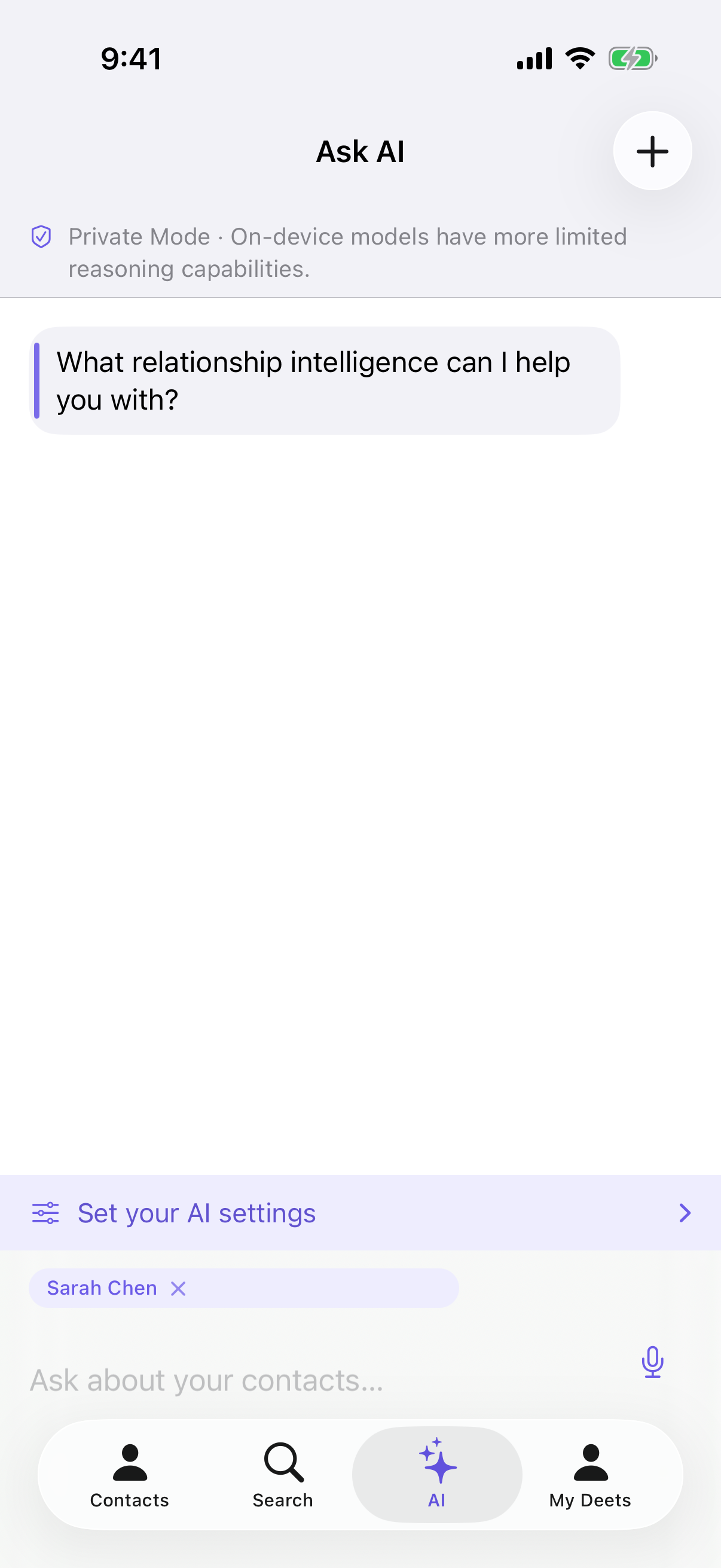
You don't need to name them — "what should I get them for their birthday?" is enough, because Deeta already knows who you mean.
Their ordinary contact details count too. "What's their number?" or "what's their address?" is answered from the phone, email and address on their card, not only from the deets you've written.
The chip
The chip near the input shows who your question is about.
-
It stays across several questions, so you can keep going.
-
Tap the × to remove it and go back to asking about everyone.
That's deliberate — follow-up questions are the point, and having to re-select each time would be tedious.
⚠️ While a chip is showing, every question is about those people — including one that sounds general. Ask "what's a good restaurant?" with Anna's chip up and Anna's details go along with it, because you've told Deeta the conversation is about her. Remove the chip first if you want a plain general question.
Asking about several people
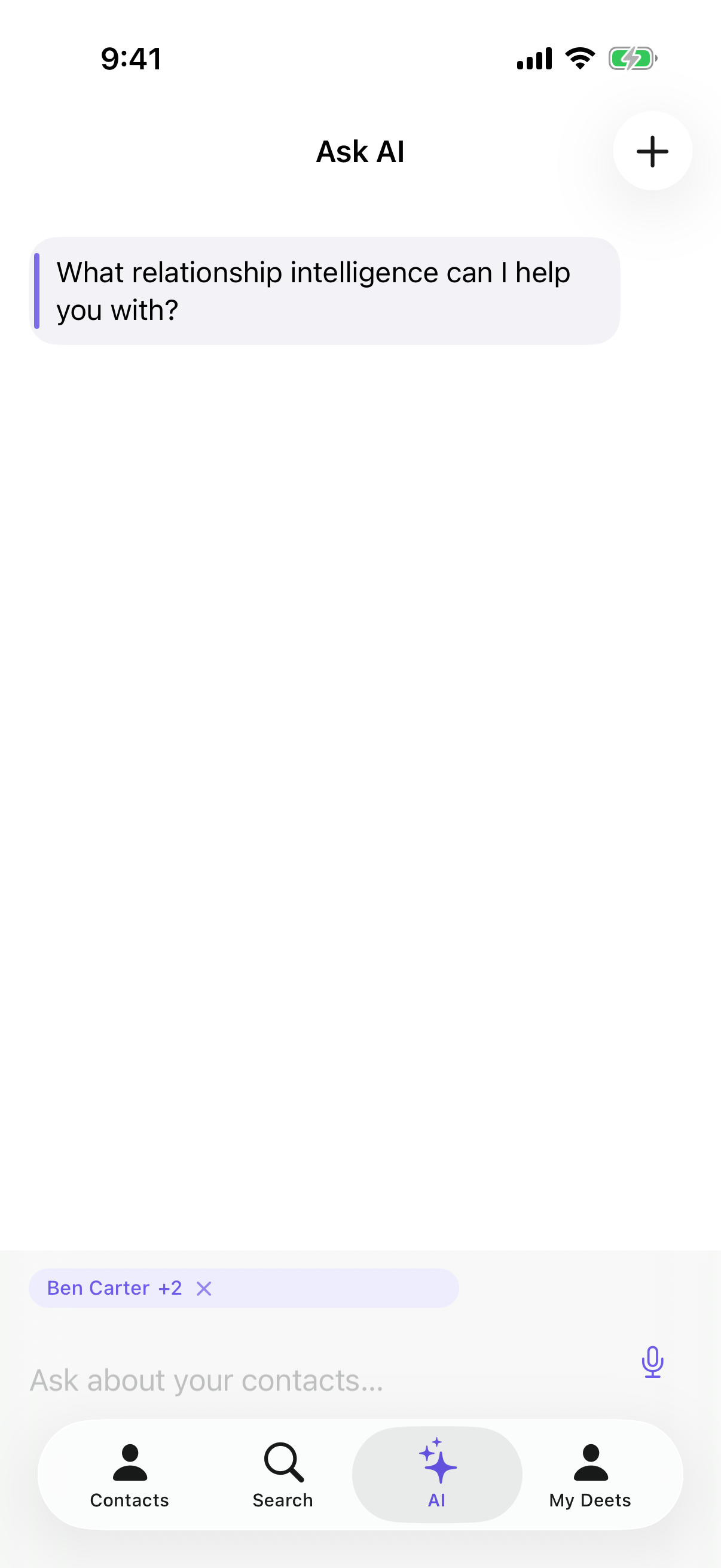
In the Contacts tab, enter multi-select, tick the people you want, and choose Ask AI from the bar at the bottom. The chip names the first people included and shows +N for the rest.
You can also do it from search results — search "Bristol", then Ask AI on the bar.
Troubleshooting
The chip disappeared. Removed, or the app was closed. Go back to the contact and tap Ask AI again.
The answer covered people I didn't select. Check the chip actually shows what you expect. Without one, Deeta answers from your whole address book.
"I don't have enough information about them." There isn't much recorded about that person. Add deets and ask again.
I picked a lot of people and not all were included. Very large selections are trimmed. Narrow it down.
I asked a general question and it answered about the person instead. The chip was still up. Remove it with the × and ask again.
Questions
Does the chip change what's sent? Yes — it limits the question to the people you chose, which is both more accurate and less data. It also means a general question asked with a chip up still carries those people.
Can I ask about someone not in my contacts? Not this way. Add them first, or ask a general question — see Answers from the web.
Does this use my monthly allowance? Yes, the same allowance — unless you're in Private Mode, which is unmetered. See Choosing how your questions are answered.
Can I ask about a group? Filter the Contacts tab by that group, enter multi-select, tap Select All, then choose Ask AI from the bar.