

Deeta can nudge you before a birthday, so you don't remember at 9pm on the day. It can also remind you about any other date you've recorded.
Turning them on
Deeta offers the first time you open a contact who has a birthday:
We found 14 birthdays. Want reminders so you never forget?
Tap Turn on reminders, or Not now.
Said no, or want to change it? Settings → Alerts.
Birthday reminders
Switch on Birthday reminders, then set two things:
-
Time — when the notification arrives
-
Advance notice — how far ahead of the day
Tap a reminder to open that person in Deeta.
Reminders come from birthdays already on your contacts — imported from your iPhone, received in a shared card, or typed in yourself. Add a birthday and the reminder schedules itself.
Custom alerts (Plus)
Reminders on any date, not just birthdays — anniversaries, renewals, travel.
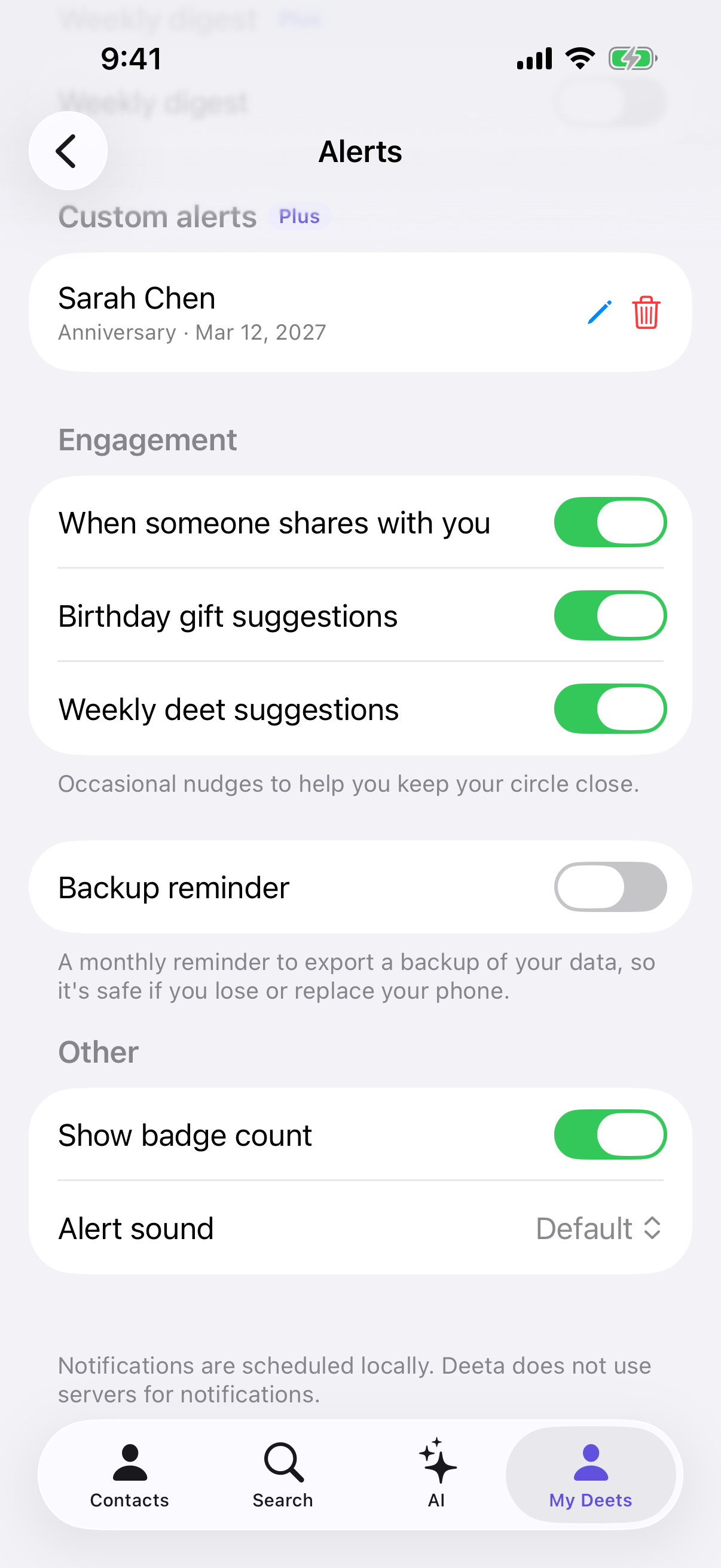
Long-press a date deet on a contact to set one. They're all listed under Custom alerts in Settings → Alerts, where you can edit or delete each one.
On the free plan you'll see "Custom alerts are a Plus feature. Upgrade to set this reminder."
Weekly digest (Plus)
A summary once a week — by default Sunday at 9:00 AM, and you can change the schedule.
Other notifications
Under Engagement you can switch on two kinds of occasional nudge:
-
Birthday gift suggestions
-
Weekly deet suggestions
Backup reminder sends a monthly reminder to export a backup. There's also Show badge count and Alert sound.
Turning them off
Enable notifications in Settings → Alerts shows whether Deeta may notify you. Tapping it takes you to iOS Settings to change that.
To silence Deeta entirely, use Settings → Notifications → Deeta on your iPhone.
Troubleshooting
No reminders at all. Two switches have to be on: Deeta's own (Settings → Alerts) and your iPhone's. Deeta shows a banner — "Notifications are off. Turn on in iOS Settings to get reminders." — with a link straight there.
I said "Not now". Deeta leaves you alone for a week, then may offer again the next time you open a contact with a birthday. Turn them on any time in Settings → Alerts.
Deeta never offered me reminders. Deeta offers when you open a contact who has a birthday, and only if you haven't already answered iOS's notification question. If you have, turn reminders on in Settings → Alerts.
A birthday I know about didn't remind me. Check the birthday is actually on that contact — open them and look. Contacts imported from elsewhere often arrive without one.
"No custom alerts yet." Long-press a date deet on a contact to set one.
I get reminders for people I don't care about. Remove the birthday from that contact, or turn birthday reminders off entirely. Per-person control isn't there yet.
They arrive at an odd hour. Check the Time setting under Birthday reminders. If your phone was off or in Focus, iOS may deliver late regardless.
I've a lot of contacts and only get some reminders. iOS caps how many pending notifications an app can queue. Deeta schedules the nearest ones and rolls forward as they pass, so nothing is permanently lost — but a very large address book means only the near future is queued at any moment.
Questions
Does Deeta see my birthdays on a server? No. Reminders are scheduled on your iPhone, from data on your iPhone.
Anniversaries too? Yes — that's what custom alerts are for, on Plus and above.
Can I change how far ahead? Yes — Advance notice under Birthday reminders.
Do reminders work offline? Yes. They're scheduled locally, so no connection needed.
Will it remind me about people who shared with me? Yes, if their card included a birthday.
Are all Deeta notifications local? Reminders are. A notification telling you someone updated a card they shared with you arrives over the internet — it comes through Apple's push service and says only that the card was updated, not what changed. See Reviewing an update someone sent you.