

Deeta collects a small amount of information about how the app is used, to find out what's broken and what people actually use. None of it is your contacts.
Two switches control it, and you can read the full list before deciding.
Where the controls are
Settings → About.
-
Send usage analytics
-
Send crash reports
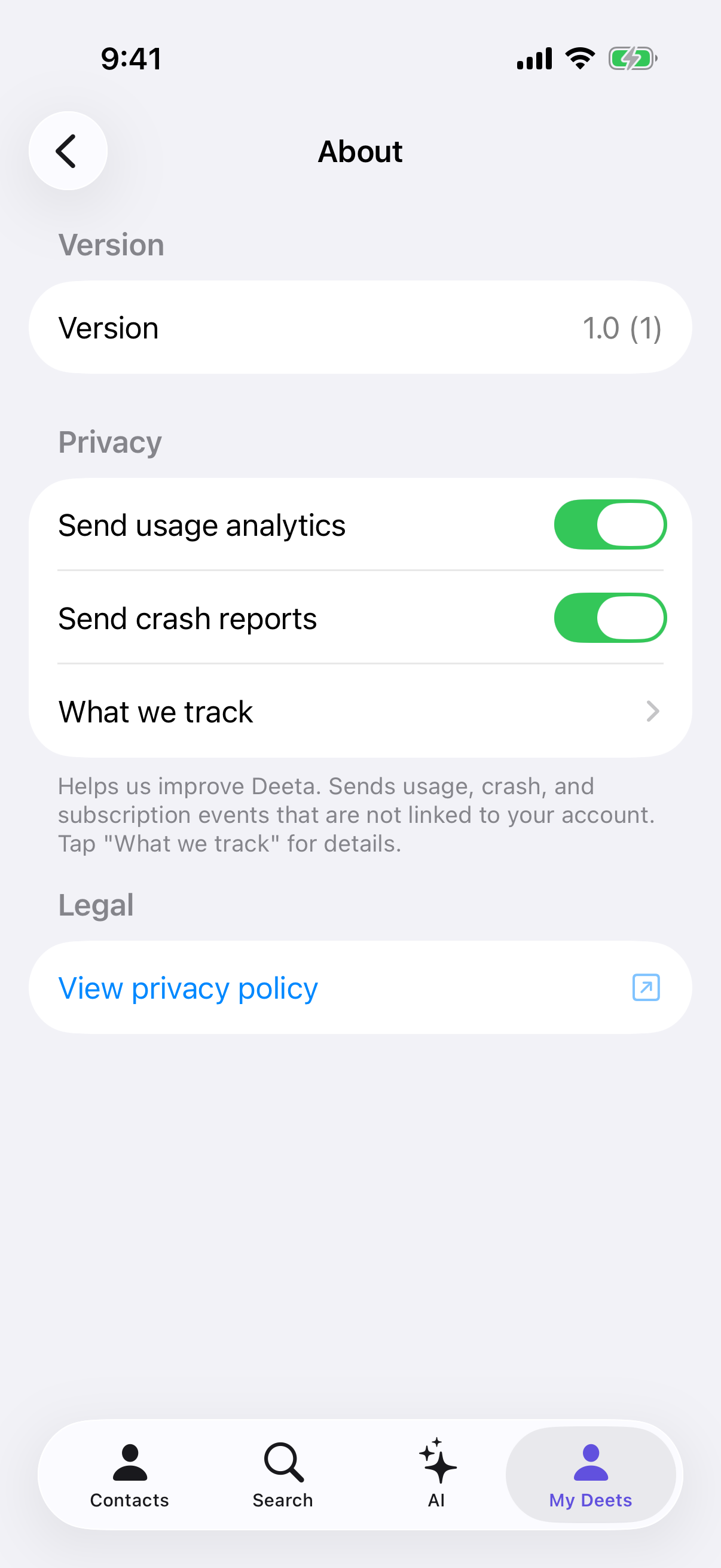
Helps us improve Deeta. Sends usage, crash, and subscription events that are not linked to your account.
Tap What we track for the itemised list.
What's actually collected
|
App usage |
Launches, sessions, screens visited |
|
Onboarding progress |
Which step you reached and whether you completed |
|
Feature usage |
Which features you use, plus context like your subscription tier. Never the contents you store |
|
Subscription events |
When you subscribe, change tier, or cancel |
|
Errors and crash reports |
Stack traces, breadcrumbs and device state captured when Deeta crashes or hits a recoverable error |
|
Device identifier |
Your iOS Identifier for Vendor, captured alongside crash reports for diagnostic triage. Not tied to your account |
What is never collected
None of this is linked to your Deeta account — we don't attach your account identifier to analytics or crash reports. Names, phone numbers, deet content, and location are never sent to our analytics or crash-reporting systems.
Your account email goes to sign-in, which is a different thing and is covered in the privacy policy.
The defaults
Usage analytics starts on. Turn it off whenever you like — the app doesn't nag, and nothing else changes. If you've turned off app tracking in iOS Settings (Privacy & Security → Tracking), Deeta treats usage analytics as off.
Crash reports depend on your App Store country. In the EU, EEA, UK and Switzerland they start off, because sending crash diagnostics there needs your explicit agreement first. Everywhere else they start on. Either way the switch is yours.
The two are genuinely separate — you can send crash reports without usage analytics, or the other way round.
Your questions to the AI are a different thing
Nothing you ask Deeta is stored anywhere, whether or not these switches are on — unless you report an answer with This doesn't seem right?, which sends that question for review with nothing that identifies you. See Asking Deeta a question.
Troubleshooting
Both toggles look off and I didn't turn them off. They render off for a moment while your preferences load. Give it a second.
I turned analytics off — did the old data go? Turning it off stops future events. What was already sent isn't linked to your account, so there's nothing there to attribute to you. To ask us to delete anything, What we track has an Email privacy@deeta.app to request deletion link.
I'm in Europe and crash reporting is off. That's the default in the EU, EEA, UK and Switzerland. Turn it on if you'd like to help — it genuinely does make bugs easier to fix.
Questions
Does turning these off limit the app? No. Everything works identically.
Is any of this shared or sold? No.
Does this include what I write in deets? No. Deet content is never sent to analytics or crash reporting.
How do I get rid of everything? See Exporting or deleting your data.