

Signing up takes a couple of minutes. You'll choose an email address and password, confirm your age, and verify your email — then Deeta is ready to fill with your contacts.
Before you start
You'll need an email address you can check on this device or another one, because we send you a link to confirm it.
Prefer not to create a password? You can sign up with Apple or sign up with Google instead.
Create your account
-
Open Deeta and tap Sign Up on the welcome screen.
-
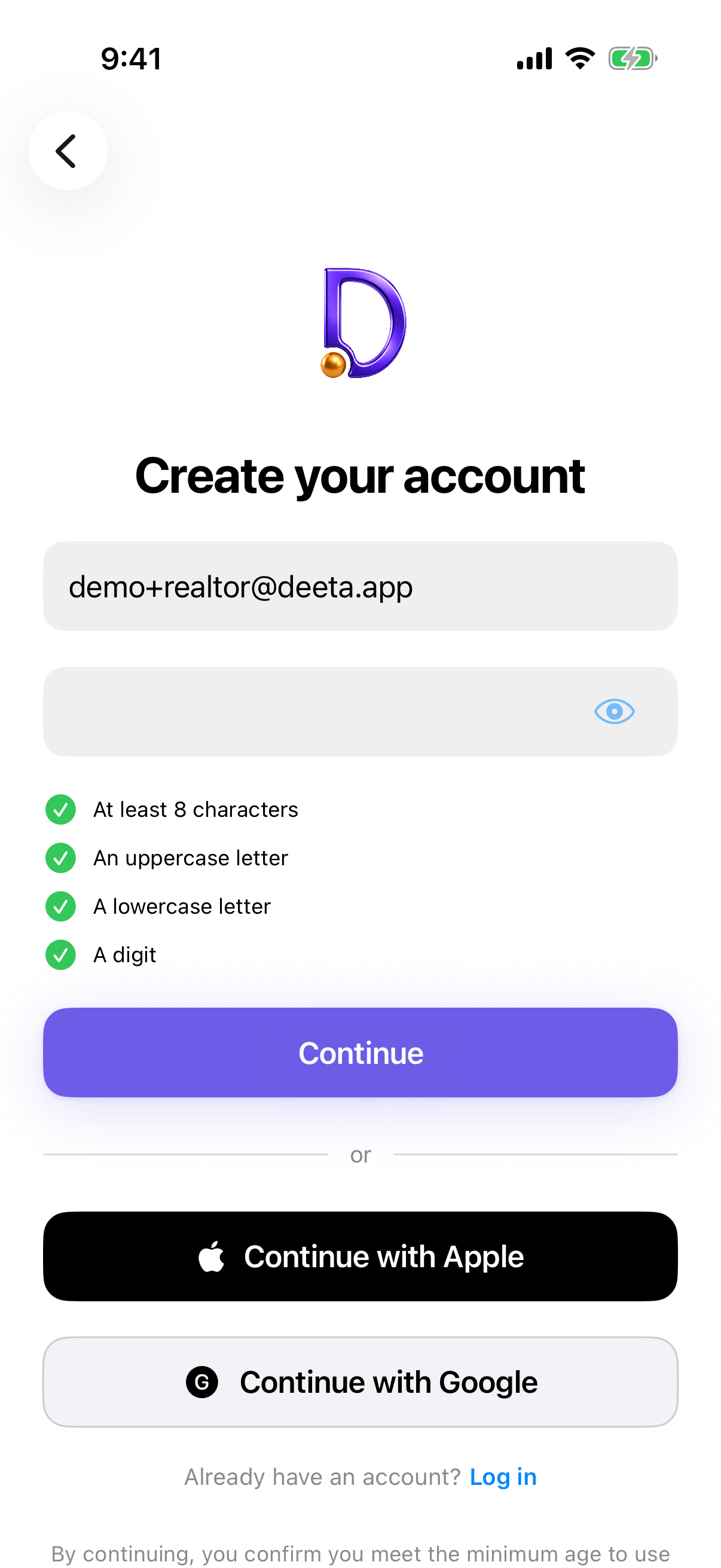
On Create your account, enter your email address.
-
Choose a password. As you type, a checklist shows which requirements you've met. Tap the eye icon to see what you've typed.
-
Tap Continue. It stays dimmed until your email address looks right and every requirement on the checklist is ticked.
-
Confirm your age. Deeta asks once, before your account is created. See Confirming your age.
-
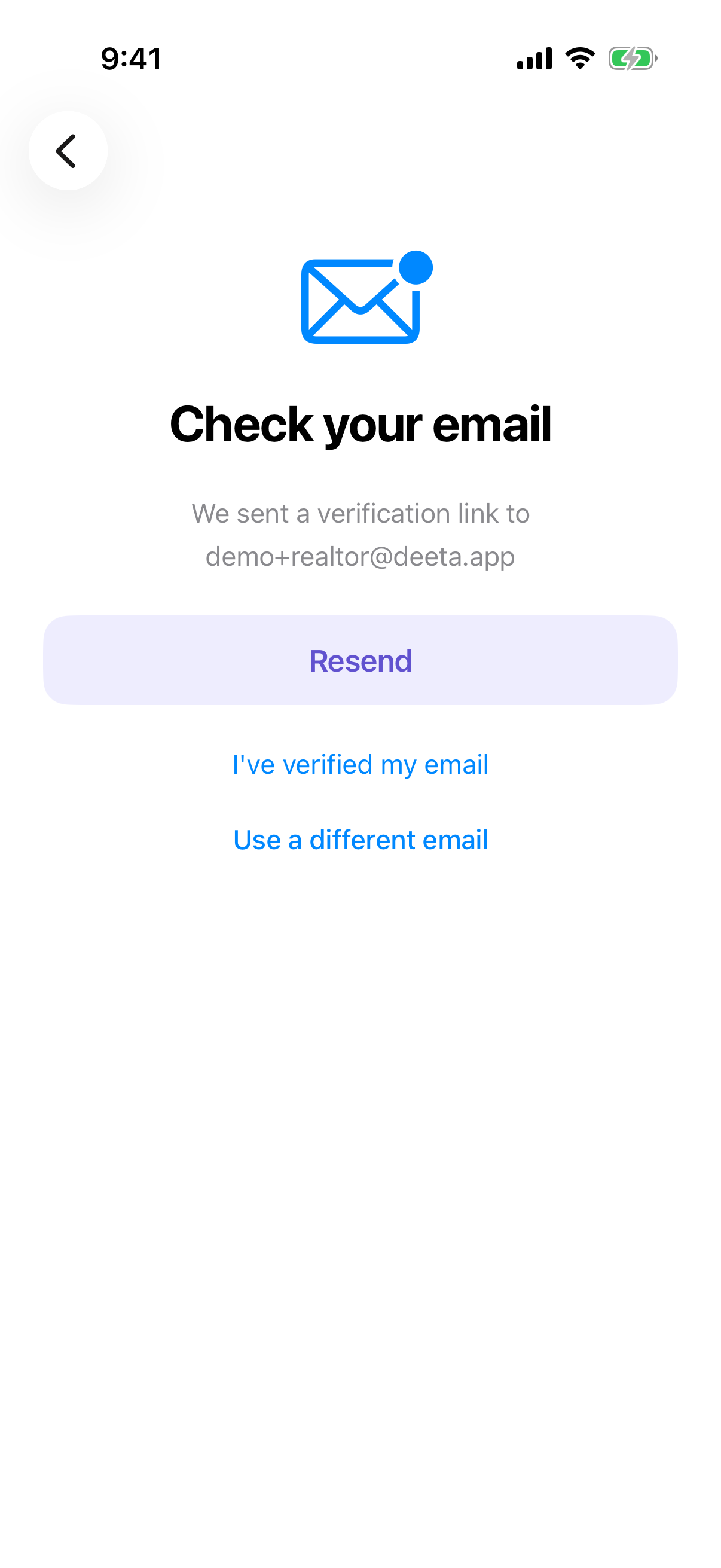
Check your email. We send a confirmation link to the address you entered. Open the email and tap the link — it opens Deeta and finishes setting up your account. If you've already tapped it, I've verified my email checks and carries on.
-
That's it. Deeta will offer to bring in your contacts next — see Setting up Deeta — the first-run walkthrough.
Troubleshooting
The Continue button stays greyed out. One of the password requirements isn't met yet, or the email address isn't complete. The checklist under the password field shows exactly what's outstanding.
I didn't get the confirmation email. Check your spam or junk folder first — confirmation emails sometimes land there. If it still hasn't arrived after a few minutes, tap Resend on the confirmation screen (it's available again after a short wait). Also double-check the address you typed; a small typo is the most common cause — Use a different email takes you back to fix it.
I tapped the link but nothing happened. Open the link on the same iPhone that has Deeta installed. Links opened on a computer or another device won't be able to hand off to the app.
The link says it's expired or already used. Confirmation links can only be used once, and they don't last forever. Go back to Deeta and request a fresh one.
I already have an account with this email. Use Log In on the welcome screen instead. If you've forgotten your password, see Resetting your password.
Questions
Do I have to verify my email? Yes. It's how we make sure the address is really yours, and it's what lets you get back into your account if you ever forget your password.
Can I change my email address later? Yes, from Settings → Account once you're signed in.
What about two-factor authentication? Deeta supports it, but it isn't part of signing up. You can turn it on any time from Settings → Security.
Is my data stored on Deeta's servers? No. Your contacts and the details you add about them stay on your iPhone. Your account exists so you can sign in and so sharing works — it isn't where your data lives.