

What signing out does
Signing out doesn't delete anything on this iPhone. Your contacts and deets stay here, tied to your account. Sign back in with the same account and everything is where you left it. While you're signed out Deeta sends no reminders; they come back when you sign in.
Your contacts still live only on this iPhone, not on Deeta's servers. So if you're signing out because you're changing phone or reinstalling, export a backup first.
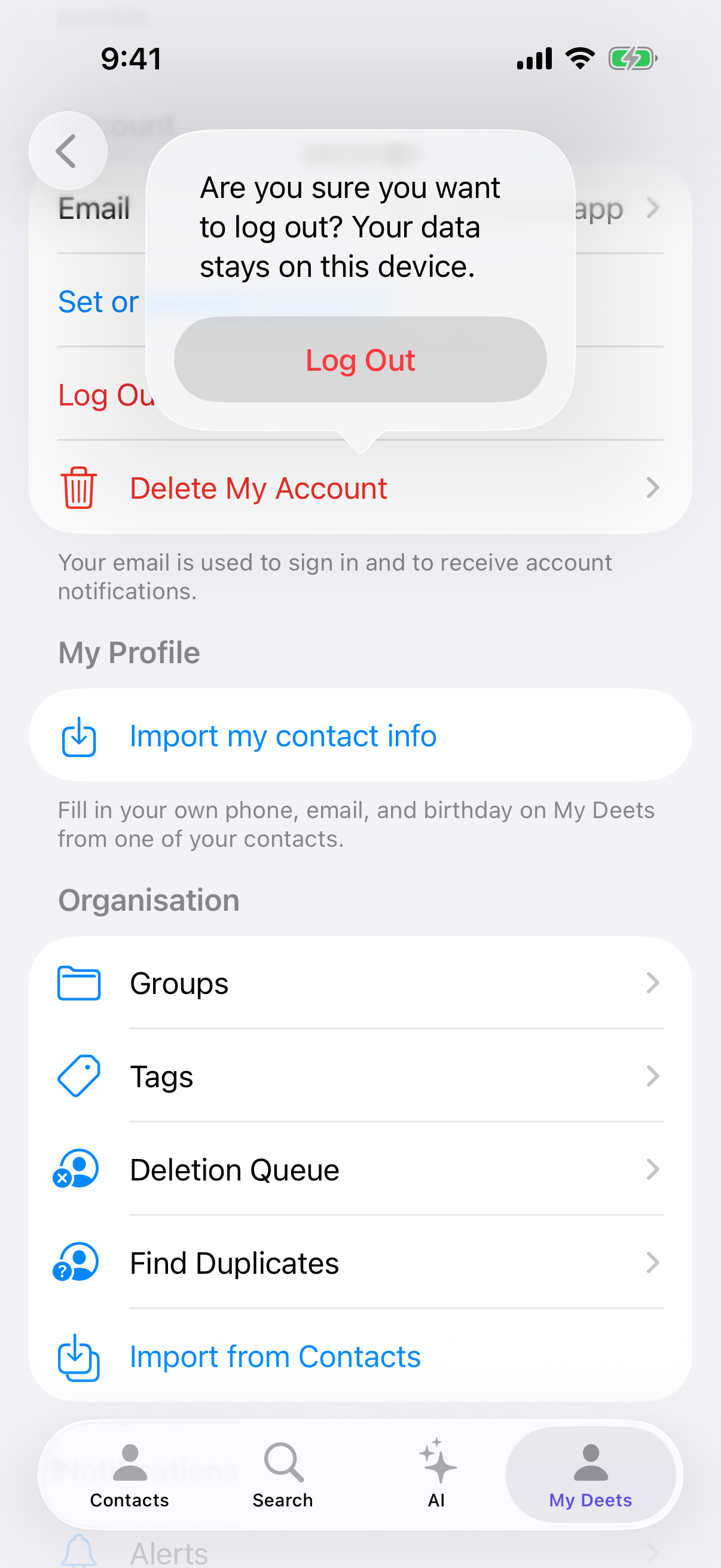
Signing out
-
Settings → the Account section, just below Subscription and AI.
-
Log Out.
-
Deeta asks you to confirm, and reminds you your data stays on this device.
-
Confirm.
Signing back in
-
Open Deeta.
-
Log In.
-
Email and password — or Apple or Google, whichever you signed up with.
-
If you use two-factor, enter your 6-digit code.
On a new iPhone, or after reinstalling, Deeta then offers to bring your data back, rather than dropping you into an empty app:
Bring your data to this iPhone. This account already has data. Choose how to load it.
Choose Use a backup file you exported and pick your DeetaExport-… folder, or the .deeta file inside it. Deeta then asks for access to your Contacts, to reconnect what you restored to the people on this phone. If you don't have a backup, Rebuild from your address book starts you again from your iPhone's Contacts — you'll get the people back, but not the deets, tags or groups.
Adding a password to an Apple or Google account
If you signed up with Apple or Google you have no password, which is fine on your iPhone but leaves you no way in on the web.
Settings → Account → Set or change password sets one, so you can sign in on the website too. The row reads the same whether or not you've set one.
You keep signing in with Apple or Google on the phone either way — the password is an addition, not a replacement.
Using Deeta on a second iPhone
Signing in on a new device gives you your account and your plan. It does not carry your contacts across — but it does offer you the restore choice above, so have your backup to hand.
Export on the old iPhone, then restore on the new one.
Troubleshooting
"Incorrect email or password." Check the email. If the password's gone, see Resetting your password.
I signed up with Apple and there's no password. Use Continue with Apple. There's no password to remember, and none to reset — unless you've added one, above.
I don't know whether I used Apple, Google or email. Try Apple first if you're on an iPhone you set up yourself — it's the most common. Signing in with a different method makes a different account.
I'm asked for a 6-digit code and I've lost my authenticator. Use one of your recovery codes. See Two-factor authentication.
I deleted the app and it still knows who I am. Deleting an app doesn't sign you out — your iPhone keeps sign-in details separately, on purpose, so reinstalling doesn't lock you out. Use Log Out in Settings if you actually want to sign out.
I signed back in and everything's gone. Signing out doesn't delete anything, so you're almost certainly in a different account. Apple, Google and email each make their own, even with the same address. Log out and sign in the way you did before. See If your account is empty.
It signed me out on its own. Rare, but possible if a session expires or your password changed elsewhere. Sign back in; your data on this iPhone is untouched.
"Session ended. Please sign in again to continue." Your session expired. Sign back in — nothing on this iPhone is affected.
Questions
Does signing out cancel my subscription? No. It's tied to your Apple ID and follows you.
Can I be signed in on two devices? Yes — but each keeps its own contacts, and there's no syncing between them yet. Move data with a backup.
Does signing out delete my account? No. To delete the account, see Exporting or deleting your data.
Do people I've shared with lose my card? No. Cards they've already claimed are theirs and stay put. If you were sending live updates, those resume from whichever device you're signed in on with your details.