

Two-factor authentication adds a second step to signing in: a 6-digit code from an app on your phone, alongside your password.
Worth turning on. Deeta holds a concentrated picture of the people in your life.
Turning it on
-
Settings → Security → Two-Factor Authentication. The row shows Off until it's set up.
-
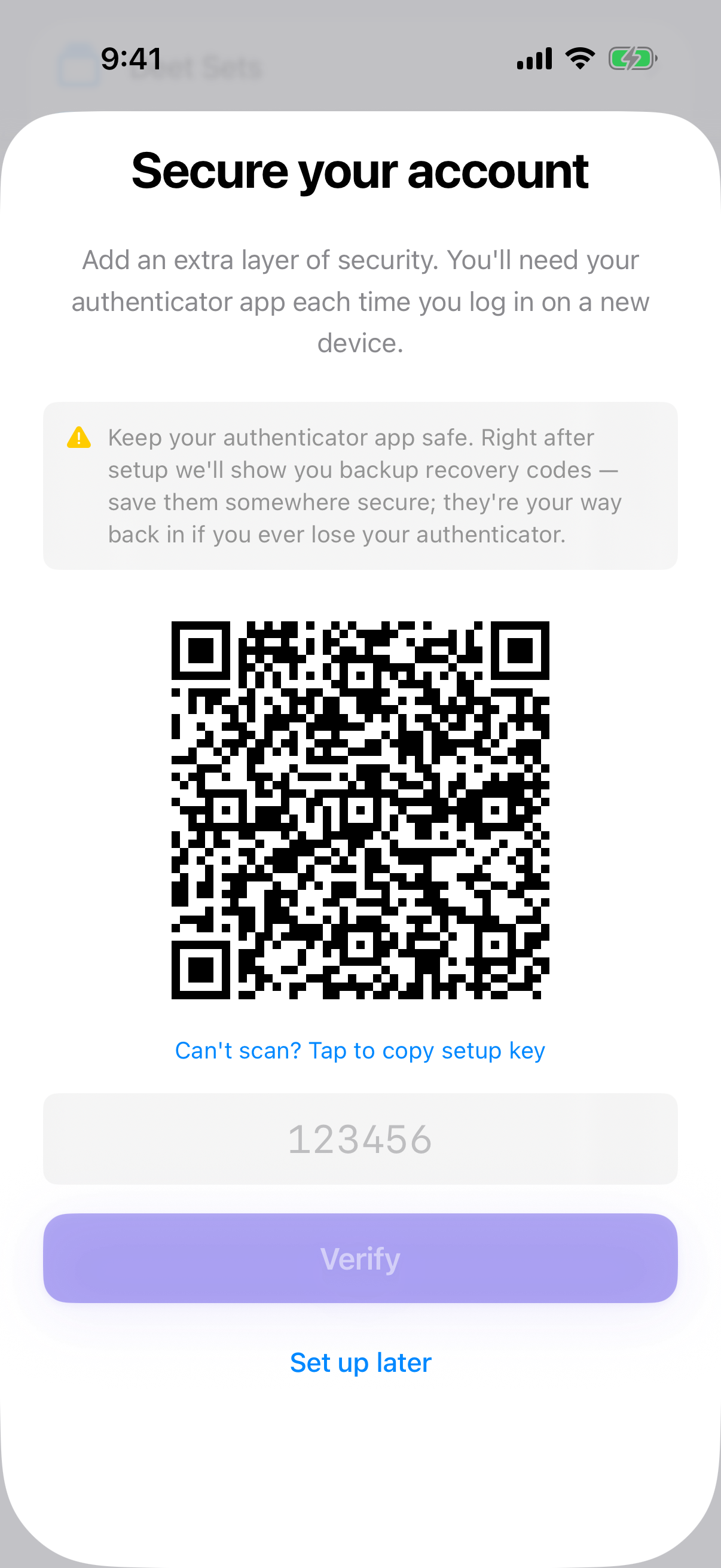
Deeta shows a QR code.
-
Scan it with an authenticator app — iPhone's built-in Passwords app works, as do Google Authenticator, 1Password and Authy.
-
Type the 6-digit code it shows.
-
Save your recovery codes. See below.
Once it's on, the row reads On.
Recovery codes
Once two-factor is on, Deeta gives you a set of one-time recovery codes.
These are your way back in if you lose your phone. Without them and without your authenticator, nobody can restore your access — not even us. That's not a policy we can bend; it's how the security works.
Put them somewhere that isn't your phone:
-
Printed, in a drawer
-
In a password manager on another device
-
Written down with your other important papers
Each code works once. Generate a fresh set from Settings whenever you like — doing so cancels the old ones.
Signing in with it on
Password first, then the 6-digit code. Codes change every 30 seconds, so use the current one.
Turning it off
Settings → Security → Two-Factor Authentication → Turn Off. You'll be asked for a current code first — otherwise anyone with your unlocked phone could remove it.
Troubleshooting
"That code isn't right." Codes expire in 30 seconds; wait for the next one. If it keeps failing, your phone's clock may be off — turn on Set Automatically in Settings → General → Date & Time.
I've lost my phone. Use a recovery code where the 6-digit code is asked for.
I've lost my phone and my recovery codes. Then the account can't be recovered. Your contacts on your other devices are still yours, and a backup exported earlier can be imported into a fresh account. See Backing up and restoring.
I scanned the QR code and nothing happened. Some authenticators need camera permission. Or tap to reveal the setup key and type it in manually.
Deeta asks for a code when I change my email. Yes — changing the address on the account is a step-up action, so it re-checks it's you.
I used a recovery code and it won't work again. Correct. Each is single-use. Generate a new set once you're back in.
The row says "Unavailable". Deeta couldn't check your two-factor status just now, usually because of a connection problem. Leave Settings and come back, or reopen Deeta.
Questions
Which authenticator app? Any standard one. Apple's built-in Passwords app is the simplest on iPhone.
SMS codes? No. Text messages are the weakest form of two-factor and Deeta doesn't offer them.
Does it protect my contacts on this iPhone? No — that's your iPhone's own passcode and Face ID. Two-factor protects the account.
I signed up with Apple or Google — do I need this? Turn it on with Apple or Google instead; theirs protects the same door.